
AI photo prompts are becoming a popular way to create stylish portraits for Instagram, Facebook, WhatsApp, and other social media platforms. With tools like ChatGPT and Gemini, you can transform an ordinary selfie into a creative portrait with professional lighting, attractive outfits, and eye-catching backgrounds. From cinematic movie-poster looks to royal portraits, these AI-generated images let you explore different photography styles without arranging an expensive photoshoot.
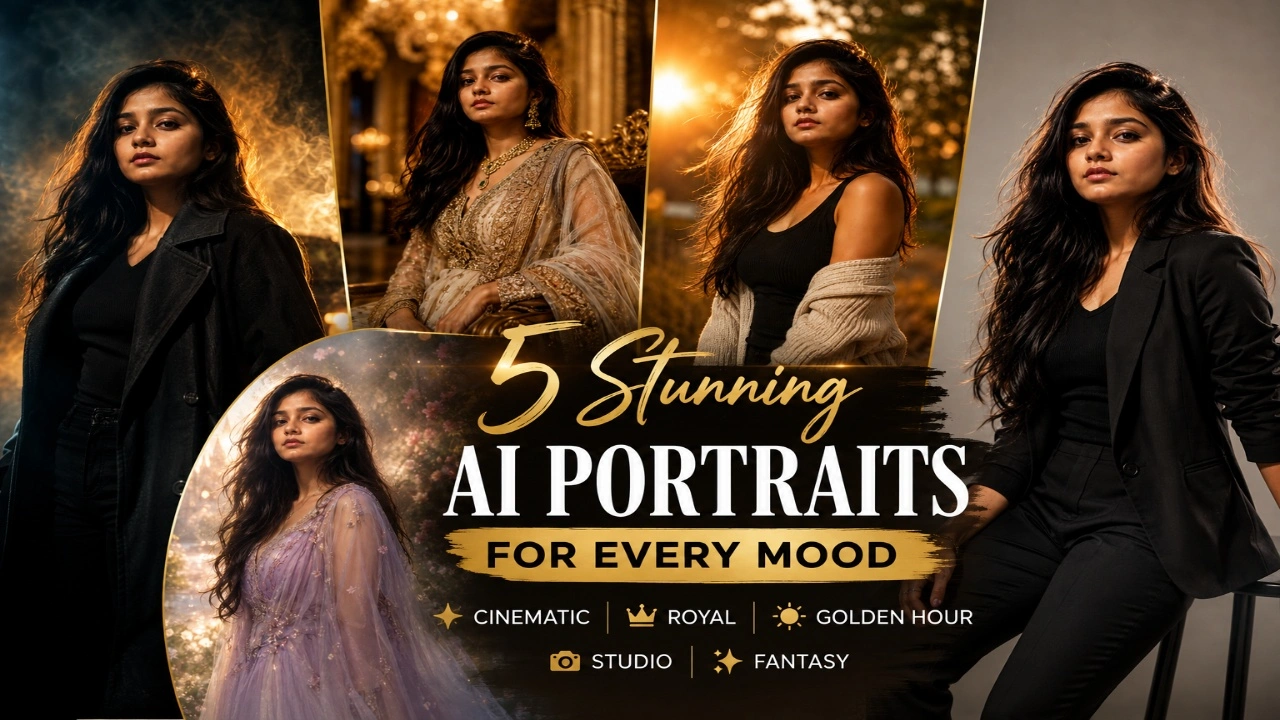
In this article, you will find five viral ChatGPT and Gemini AI photo prompts for 2026 that you can copy and use to create your own portraits. Each prompt offers a different style, including cinematic posters, royal looks, golden-hour photography, studio editorials, and dreamy fantasy portraits. Upload a clear reference photo, customise the prompt according to your preferences, and experiment with different looks. These prompts are suitable for social media posts, profile pictures, and creative photo collections.
1. Cinematic Poster AI Photo
Cinematic poster portraits are ideal for anyone who wants a bold, dramatic, and movie-inspired appearance. These images often feature dark backgrounds, dramatic shadows, rich colours, and professional-looking lighting. The style can make an ordinary selfie look like a promotional poster for a thriller, action film, or dramatic web series. You can customise the mood to create anything from a mysterious character portrait to a confident, powerful look.
For the best result, describe the background, lighting, outfit, and pose clearly in your prompt. Deep blue, red, and amber tones can create a dramatic atmosphere, while subtle smoke and light effects can add depth. A confident expression and a simple pose can also make the portrait more striking. If you want the final image to resemble you, include instructions to preserve your original facial features, skin tone, hairstyle, and body proportions.
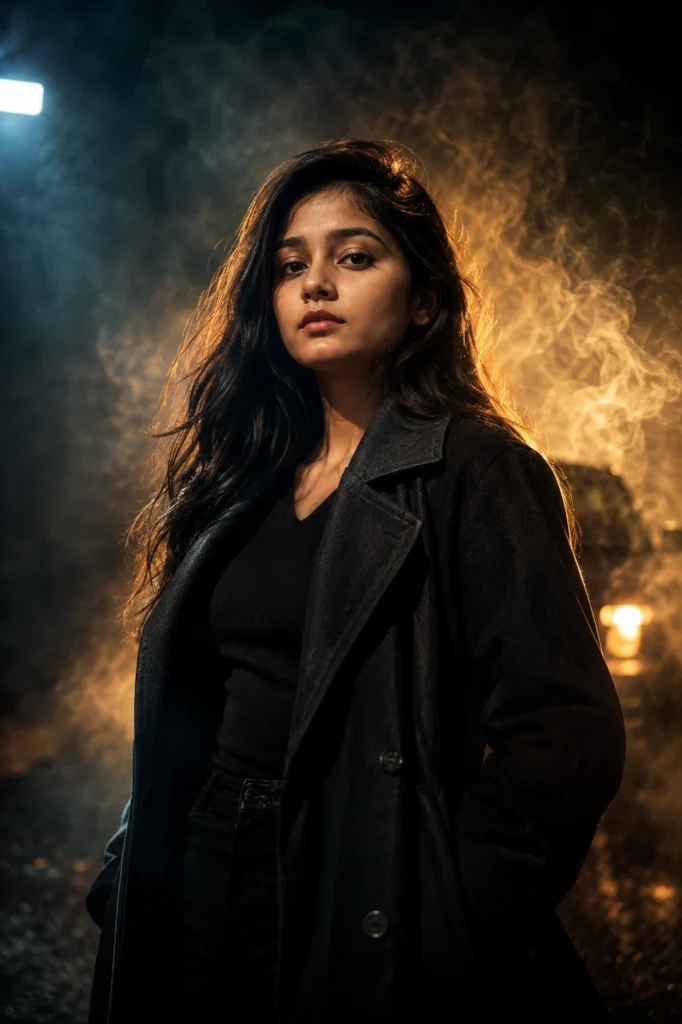
Transform my uploaded photo into an ultra-realistic cinematic movie poster portrait while preserving my exact facial features, skin tone, hairstyle, body proportions, and identity. Style my hair and outfit with a bold, modern, editorial look while keeping my face completely untouched and realistic.

Place me against a dramatic dark background with cinematic smoke, moody colored lighting (deep blues, ambers, or reds), and subtle lens flares. Add a strong, confident pose with sharp shadows falling across my face for a high-impact, larger-than-life feel.

Use dramatic side lighting, realistic skin textures, shallow depth of field, DSLR 85mm portrait photography, HDR lighting, premium cinematic color grading, and film-grain detailing. Make the final image look like an official movie poster shoot. Ultra-realistic, photorealistic, 8K resolution, magazine-quality finish, no cartoon or AI-art appearance.
2. Royal Portrait AI Photo
Royal portrait AI photos are a great choice for people who enjoy luxurious fashion and traditional palace-inspired settings. Rich fabrics, embroidered outfits, elegant jewellery, and grand architectural backgrounds can create a regal appearance. You can experiment with Indian royal styles, such as a Maharaja-inspired look, or choose a classic royal-court aesthetic with ornate furniture and golden lighting. This style works well for creative profile pictures and themed social media posts.
To make your royal portrait more convincing, choose outfit details that match the setting. For example, embroidered sherwanis, velvet jackets, traditional jewellery, or elegant gowns can complement a palace background. Soft golden lighting and a composed pose can help create a polished result. Avoid adding too many decorative elements, as an overcrowded background may distract from the subject. Ask the AI tool to maintain realistic facial features and natural body proportions.
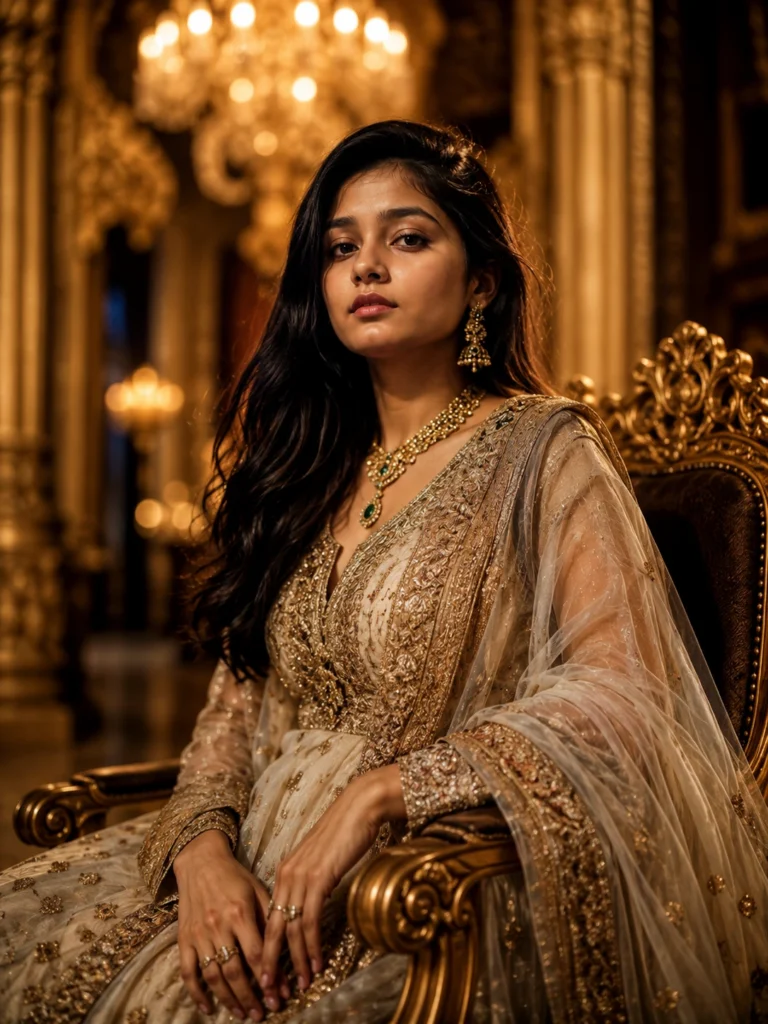
Transform my uploaded photo into an ultra-realistic royal portrait while preserving my exact facial features, skin tone, hairstyle, body proportions, and identity. Dress me in a luxurious royal outfit with intricate embroidery, a jeweled accessory, and elegant fabric detailing. Keep my facial expression and identity completely natural.

Place me in a grand palace setting with tall pillars, ornate chandeliers, rich velvet curtains, and soft golden ambient lighting. Add a subtle regal pose with one hand resting elegantly and a calm, confident expression.

Use warm golden lighting, realistic skin details, DSLR 85mm portrait style, shallow depth of field, creamy bokeh, HDR lighting, and premium editorial color grading. The final image should look like an authentic royal photoshoot. Ultra-realistic, photorealistic, 8K resolution, natural body proportions, no cartoon or AI-art appearance.
3. Golden Hour Aesthetic AI Photo
Golden-hour portraits are popular because they combine warm sunlight with a soft, natural atmosphere. The gentle glow around the subject, subtle lens flares, and blurred outdoor backgrounds can create a professional photography effect. This style works particularly well for casual outfits, flowing dresses, and relaxed poses. Whether you prefer a garden setting, an open field, or a quiet outdoor location, golden-hour lighting can give your portrait a warm and aesthetic appearance.
For a natural result, choose a pose that feels comfortable rather than overly staged. Looking towards the sunlight, walking outdoors, or smiling gently can make the portrait look more candid. Light-coloured outfits often complement the warm background, while earthy shades create a balanced appearance. You can also request soft background blur and realistic skin texture. Keep the lighting gentle so that your facial features remain clear and the image does not appear overly edited.
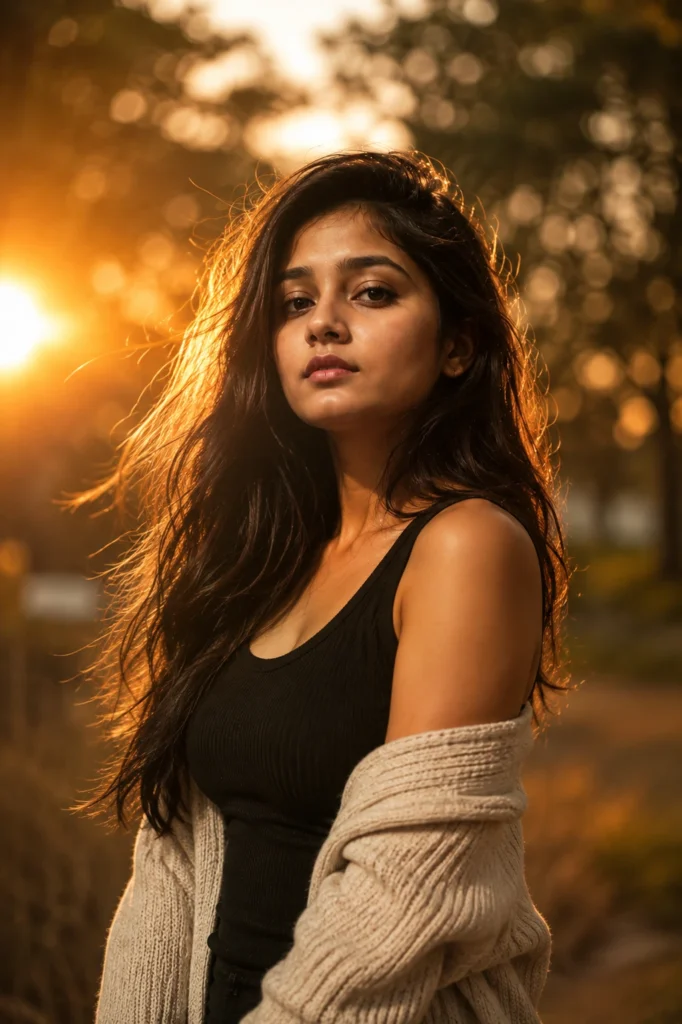
Transform my uploaded photo into an ultra-realistic golden hour aesthetic portrait while preserving my exact facial features, skin tone, hairstyle, body proportions, and identity. Style my hair naturally with soft movement and keep my outfit simple yet elegant.

Place me outdoors during golden hour with warm sunlight streaming from behind, soft lens flares, gentle wind in my hair, and a blurred natural background of trees or an open field. Capture a relaxed, candid expression with soft natural light falling on my face.

Use warm golden lighting, realistic skin textures, shallow depth of field, creamy bokeh, DSLR 85mm portrait photography, HDR lighting, and premium editorial color grading. The final image should feel warm, soft, and effortlessly aesthetic. Ultra-realistic, photorealistic, 8K resolution, no cartoon or AI-art appearance.
4. Studio Editorial AI Photo
Studio editorial portraits are suitable for people who prefer clean backgrounds, fashionable outfits, and professional lighting. Inspired by magazine photography, this style focuses on composition, confident poses, and carefully balanced light. A neutral background in grey, beige, or pastel shades can make the subject stand out. You can choose formal clothing for a professional appearance or modern fashion styling for a more creative editorial portrait.
To achieve a polished result, keep the prompt focused on the outfit, pose, lighting, and background. A simple standing pose, direct eye contact, and soft studio lighting can create an elegant portrait. You can also experiment with side lighting or subtle rim lighting to add depth. If you plan to use the image for a professional profile, choose a clean background and avoid exaggerated fashion effects. Ask the AI tool to preserve your identity and keep skin texture realistic.
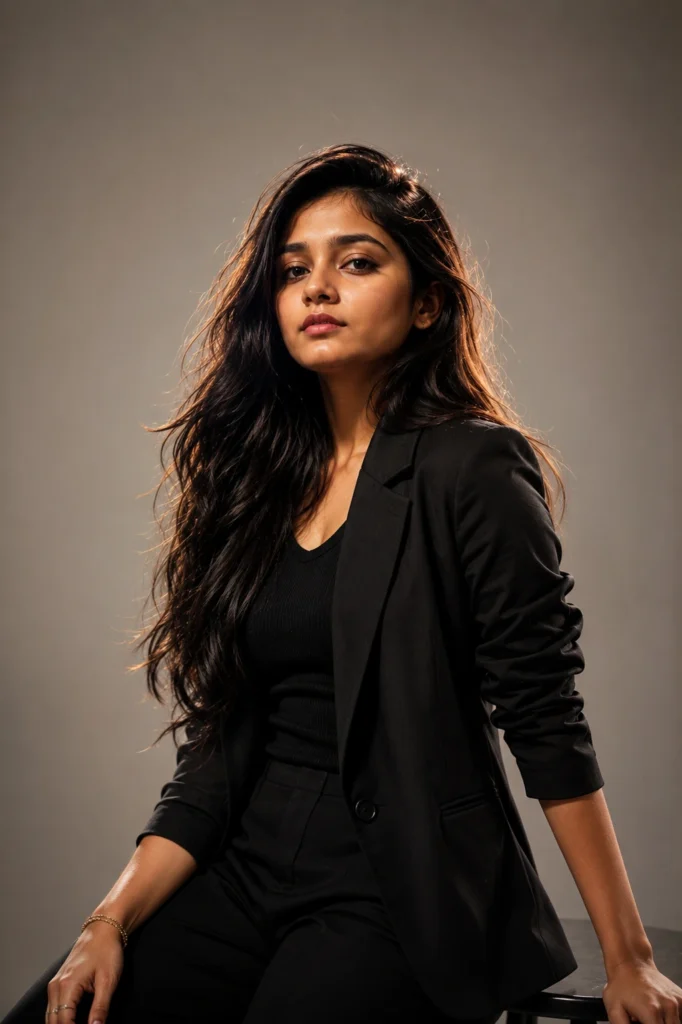
Transform my uploaded photo into an ultra-realistic studio editorial portrait while preserving my exact facial features, skin tone, hairstyle, body proportions, and identity. Style my hair and outfit in a clean, modern, high-fashion look while keeping my face natural and untouched.

Place me against a plain studio background (soft grey, beige, or muted pastel) with professional studio lighting setup, soft key light, and subtle rim lighting to highlight my features. Keep the pose confident and minimal, similar to a professional headshot or fashion editorial.

Use soft studio lighting, realistic skin textures, shallow depth of field, DSLR 85mm portrait photography, HDR lighting, and premium editorial color grading. The final image should look like a professional studio photoshoot for a fashion magazine. Ultra-realistic, photorealistic, 8K resolution, natural body proportions, no cartoon or AI-art appearance.
5. Dreamy Fantasy AI Photo
Dreamy fantasy portraits combine creative backgrounds, soft colours, and magical lighting to produce an imaginative look. Flower fields, enchanted forests, glowing particles, and gentle mist can make the image feel like a scene from a fantasy story. This style is ideal for people who enjoy whimsical aesthetics and creative photography. You can choose a pastel colour palette for a soft appearance or use deeper colours to create a mysterious, cinematic atmosphere.
For a balanced image, keep the subject realistic while using fantasy effects mainly in the surroundings. Flowing outfits, soft hairstyles, and gentle lighting can complement the background without making the portrait look artificial. You can also experiment with glowing flowers, floating lights, or a dreamy forest setting. If you want the image to remain recognisable, clearly instruct the AI tool to preserve your facial features and natural proportions while changing the environment and visual effects.
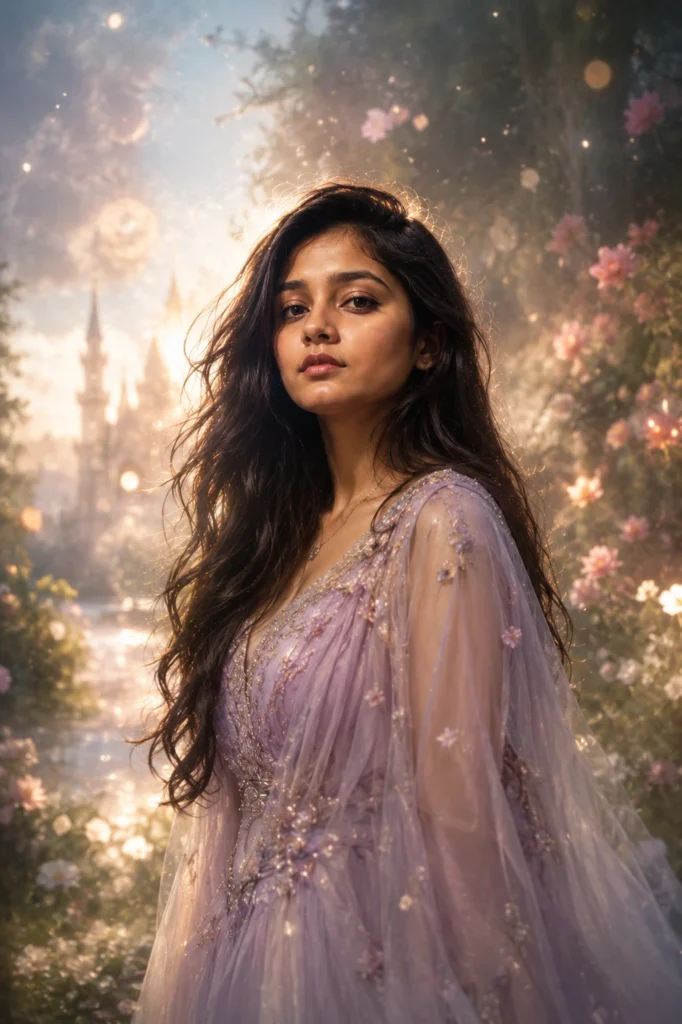
Transform my uploaded photo into an ultra-realistic dreamy fantasy portrait while preserving my exact facial features, skin tone, hairstyle, body proportions, and identity. Style my hair with soft, flowing movement and add subtle ethereal detailing to my outfit while keeping my face completely realistic.

Place me in a magical setting with soft glowing lights, floating particles, gentle mist, and a dreamy pastel-toned background such as a forest clearing or a flower field. Add a soft, calm expression with light gently wrapping around me for a fairy-tale feel.

Use soft diffused lighting, realistic skin textures, shallow depth of field, creamy bokeh, DSLR 85mm portrait photography, HDR lighting, and premium editorial color grading. The final image should feel magical, soft, and dreamlike. Ultra-realistic, photorealistic, 8K resolution, no cartoon or AI-art appearance.
Pro Tips for Creating Viral AI Photos
Creating an attractive AI photo requires more than copying a prompt into an image generator. The quality of your reference photo, the details you include, and the way you describe the desired style can all influence the final result. Before generating an image, decide whether you want a dramatic cinematic portrait, a royal look, a natural outdoor photograph, a professional studio image, or a fantasy-inspired scene. Then describe the most important visual elements clearly.
You can use these prompts as a starting point and customise them to match your preferences. Change the outfit, background, lighting, or camera angle while keeping the main style consistent. If the first image does not look right, adjust a few details and generate another version. ChatGPT and Gemini may interpret the same prompt differently, so review the output carefully and choose the version that looks most natural. Use the given tips for perfect pictures.
- Use a clear reference image: Choose a well-lit photo with your face clearly visible.
- Preserve facial identity: Ask the AI tool to maintain your facial features, skin tone, hairstyle, and natural body proportions.
- Describe the style clearly: Specify whether you want cinematic, royal, editorial, aesthetic, or fantasy photography.
- Mention lighting details: Use dramatic side lighting for cinematic portraits, golden sunlight for outdoor photos, and soft studio lighting for editorial images.
- Customise your outfit: Include clothing styles, colours, fabrics, and accessories that match the theme.
- Keep the composition balanced: Avoid adding too many background elements or visual effects.
- Try different versions: Make small changes to the prompt to explore alternative poses, colours, and backgrounds.
- Check the final image: Review facial details, hands, clothing, and background elements before sharing.
If you want a photo that looks realistic, focus on accurate facial features, natural skin texture, and balanced lighting. Use dramatic or fantasy effects to enhance the background rather than changing your face unnecessarily. These five prompts are exactly why AI photo trends keep taking over everyone’s feed right now, and once you try even one of them, it’s easy to see why. Each style gives a completely different mood, so you can pick whichever one matches your vibe, whether that’s cinematic, royal, aesthetic, editorial, or dreamy, and get a share-worthy photo without needing a professional camera or a studio setup. Just copy the prompt, paste it into ChatGPT or Gemini along with your photo, and you’ll have a stunning, ready-to-post image within minutes.