
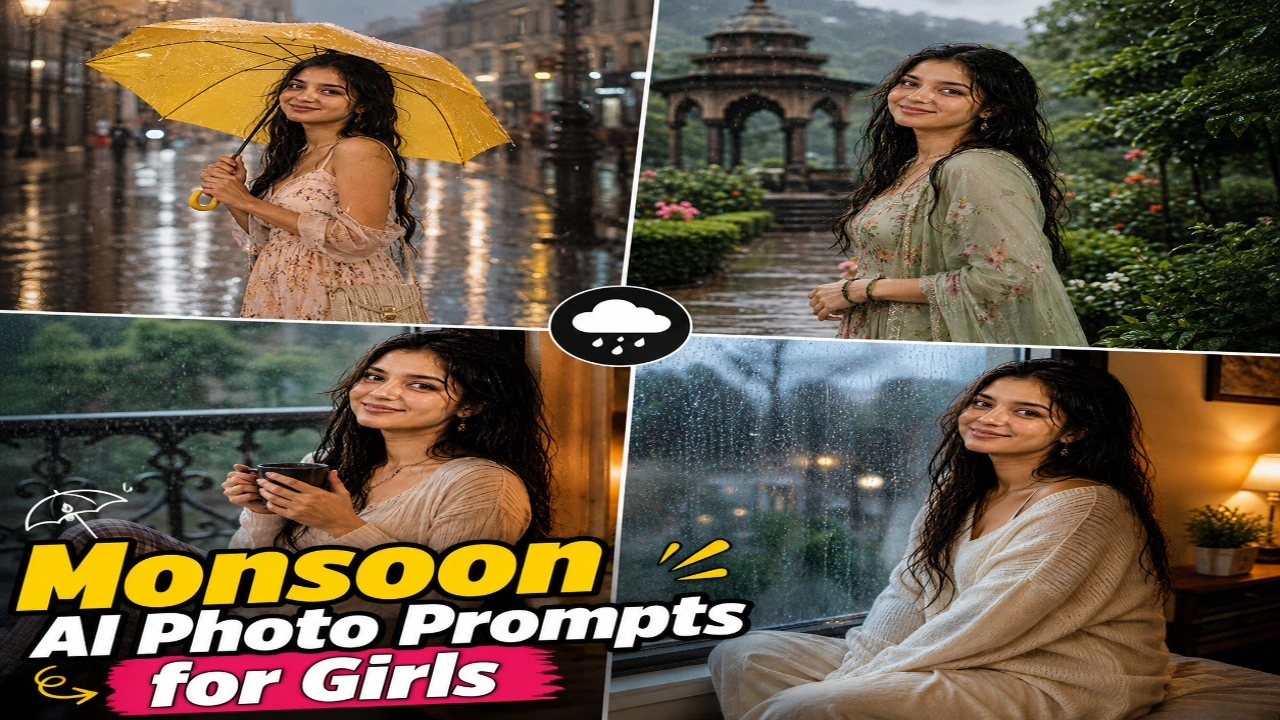
Rainy days have a charm of their own, from the sound of raindrops and the smell of wet earth to the beautiful greenery that appears during the monsoon. These little details also make the season perfect for photography. If you love rainy-day pictures but do not always get the right lighting or background, AI photo generators can help you create your favourite monsoon looks. With a simple prompt, you can turn an ordinary photograph into a dreamy rainy-day portrait featuring colourful umbrellas, misty gardens, and rain-soaked streets.
In this article, you will find monsoon AI photo prompts for girls that you can copy and use with compatible AI image generators. From a colourful umbrella portrait and a lush green garden to a cozy balcony scene and a rainy window photograph, each prompt offers a different way to capture the beauty of the rainy season. You can upload your own photo as a reference and customise the outfit, hairstyle, background, and lighting according to your preferences. Try these prompts to create aesthetic Instagram pictures, WhatsApp DPs, or beautiful rainy-day portraits to share on social media.
1. Rainy Street Umbrella AI Photo
A colourful umbrella, gentle rainfall, and reflections on a wet street can turn a simple portrait into a beautiful monsoon photograph. This style is perfect for girls who love dreamy, cinematic pictures with a natural rainy-day atmosphere. A pastel dress, delicate jewellery, and softly styled hair can complement the setting, while glowing streetlights and blurred buildings add depth to the background. Yellow, pink, and transparent umbrellas can each create a different mood for the final image.
With an AI photo prompt, you can create this rainy street look without waiting for the perfect weather or finding a suitable location. Experiment with different umbrella colours, outfits, and poses to match your personal style. You can choose a close-up portrait or a full-body photograph showing the wet pavement and surrounding streets. If you use your own picture as a reference, ask the AI tool to preserve your recognizable facial features while adding realistic raindrops and natural lighting.
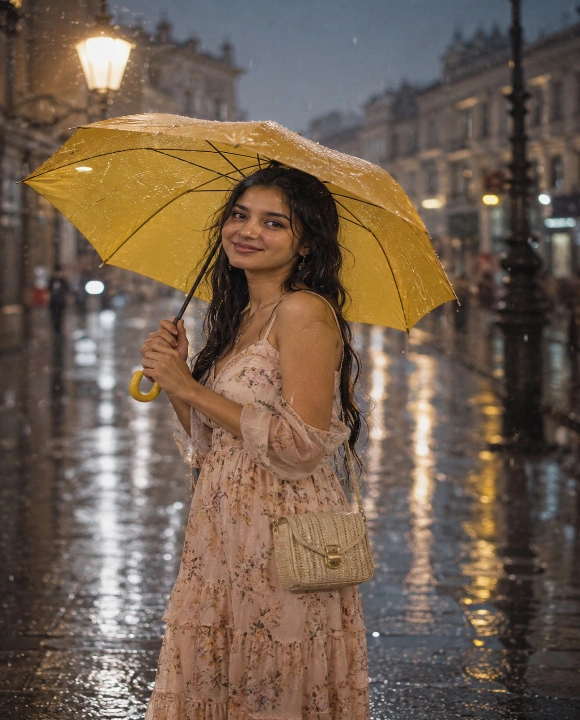
Transform my uploaded photo into an ultra-realistic monsoon portrait while preserving my exact facial features, skin tone, hairstyle, body proportions, and identity. Dress me in a flowy pastel-colored dress with light jewelry, and add a stylish yellow umbrella held gently in my hand. Style my hair with a slightly wet, natural look while keeping my face completely realistic.

Place me standing on a rain-soaked city street with soft raindrops falling around me, glowing streetlights reflecting on the wet pavement, blurred vintage buildings, and gentle mist in the background. Add subtle water droplets on my hair and shoulders for a realistic rainy effect.

Use soft moody lighting with cinematic tones, realistic skin textures, shallow depth of field, creamy bokeh, HDR lighting, DSLR 85mm portrait photography, and premium editorial color grading. Make the final image look like an authentic monsoon street photoshoot. Ultra-realistic, photorealistic, 8K resolution, magazine-quality portrait, natural body proportions, no cartoon or AI-art appearance.
2. Monsoon Garden AI Photo
Monsoon gardens look especially beautiful when the leaves are covered with fresh raindrops and the surroundings turn bright green. This setting is ideal for girls who prefer natural, peaceful, and aesthetic portraits. A floral dress, a green ethnic outfit, or a simple cotton kurta can complement the garden background. Soft cloudy daylight, blooming flowers, and tiny water droplets on leaves can give the photograph a fresh appearance without making it look overly edited.
You can use AI photo prompts to experiment with different garden settings and rainy-day outfits. Try a standing pose beside flowering plants, a candid photograph while walking along a garden path, or a portrait near a rain-covered tree. Describe the greenery, flowers, outfit, and lighting clearly to guide the image generator. For a natural result, ask for realistic skin texture, soft background blur, and believable raindrops on the surrounding plants.
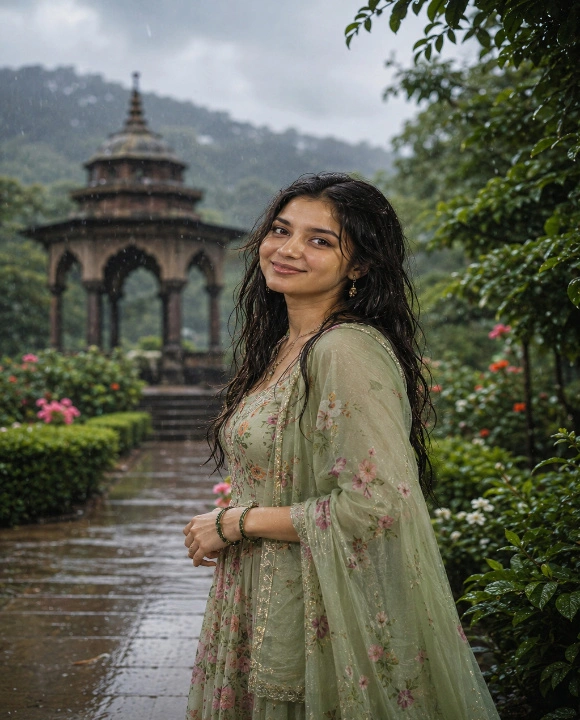
Transform my uploaded photo into an ultra-realistic monsoon garden portrait while preserving my exact facial features, skin tone, hairstyle, body proportions, and identity. Dress me in a flowing green or floral ethnic outfit with delicate accessories, and let a few strands of my hair fall naturally with a slightly damp texture.

Pose me standing amidst a lush green garden with fresh raindrops on leaves, blooming flowers, soft puddles reflecting the sky, and gentle monsoon clouds overhead. Add a light drizzle effect with tiny visible raindrops in the air for added realism.

Use soft natural daylight combined with a cool monsoon tone, realistic skin details, DSLR 85mm photography, HDR lighting, shallow depth of field, creamy bokeh, premium editorial color grading, and cinematic composition. Make the final image look like it was captured during a peaceful monsoon morning in a garden. Ultra-realistic, photorealistic, 8K resolution, magazine-quality finish, natural body proportions, no cartoon or AI-art appearance.
3. Balcony Rain AI Portrait
There is something comforting about watching the rain from a balcony with a warm cup of tea or coffee in hand. This setting creates a relaxed and personal portrait that feels different from a typical outdoor photoshoot. A cozy kurta, an oversized sweater, or comfortable casual clothing can suit the scene perfectly. Wet balcony railings, blurred green trees, and warm indoor lights create a beautiful contrast between the cool rainy weather and the comfort of being indoors.
With an AI photo prompt, you can recreate this peaceful monsoon moment in your preferred style. You can experiment with different outfits, hairstyles, and poses, such as leaning against the railing or looking out at the falling rain. Describe the background, lighting, and expression clearly to help the image generator capture the atmosphere you want. A combination of warm indoor lighting and cool outdoor tones can make the final portrait feel natural and cinematic.
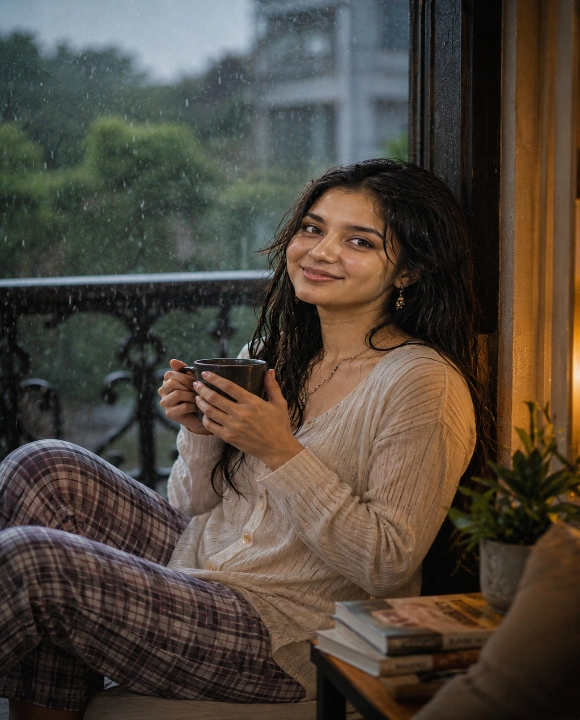
Transform my uploaded photo into an ultra-realistic monsoon balcony portrait while preserving my exact facial features, skin tone, hairstyle, body proportions, and identity. Dress me in a cozy casual outfit or a soft kurta, holding a warm cup of tea or coffee in my hand while gazing at the falling rain. Keep my hairstyle, facial expression, and natural appearance completely realistic.

Create a calm balcony setting with visible raindrops falling outside, wet railings, blurred green trees in the background, and warm ambient light glowing from indoors. Add a light mist effect near the window for a cozy monsoon evening feel.

Use warm ambient lighting mixed with cool outdoor monsoon tones, cinematic photography, realistic skin textures, shallow depth of field, DSLR 85mm portrait style, HDR lighting, premium editorial color grading, creamy bokeh, and ultra-realistic details. The final image should feel calm, cozy, and professionally photographed.
4. Rainy Window Portrait AI Photo
This prompt creates a soft, aesthetic monsoon portrait shot near a rain-streaked window, blending warm indoor lighting with the calm outdoor rain. The dreamy blur and cinematic tones give it a magazine-style rainy day feel.
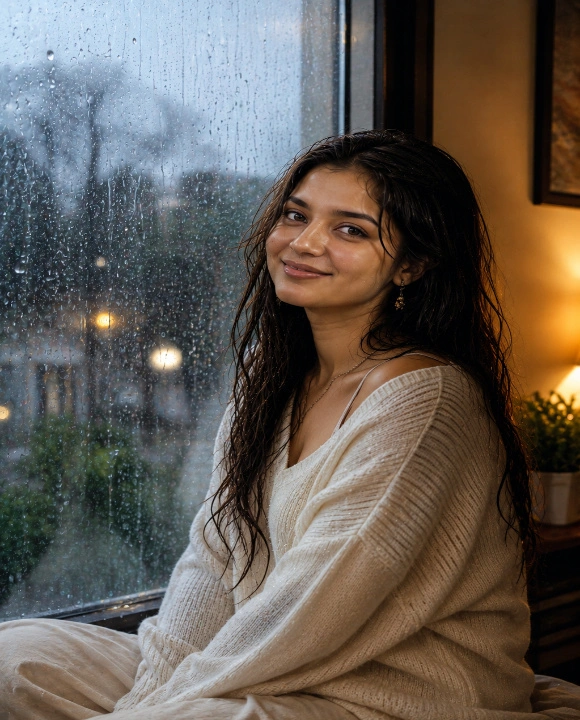
Transform my uploaded photo into an ultra-realistic rainy window portrait while preserving my exact facial features, skin tone, hairstyle, body proportions, and identity. Dress me in a soft oversized sweater or a simple cotton kurta, with my hair styled naturally and softly falling around my face. Keep my expression calm and candid while maintaining complete realism.

Pose me sitting or leaning near a large window with visible raindrops trickling down the glass, soft blurred greenery and rain outside, and warm golden indoor lighting falling gently on one side of my face. Add a subtle reflection of raindrops and light on the window glass for added depth.

Use warm golden indoor lighting contrasted with cool blue tones from outside, realistic skin textures, shallow depth of field, creamy bokeh, DSLR 85mm portrait photography, HDR lighting, and premium editorial color grading. Make the final image look like a candid, aesthetic rainy day photoshoot. Ultra-realistic, photorealistic, 8K resolution, magazine-quality portrait, natural body proportions, no cartoon or AI-art appearance.
Pro Tips for Creating the Best Monsoon AI Photos
Creating a beautiful monsoon portrait with AI is easier when you know which details to include in your prompt. The outfit, background, rainfall, lighting, and camera angle all influence the final image. A rainy street portrait needs a different atmosphere from a peaceful garden scene or a cozy photograph beside a window. Instead of using only general words such as beautiful or aesthetic, describe the setting and the mood you want to create. This helps the AI tool understand your idea and produce an image that matches your preferred style.
For better results, use a clear reference photo if you want the generated image to resemble you. Describe your outfit, hairstyle, pose, and surroundings, then add details about the lighting and rainfall. You can experiment with different umbrella colours, garden backgrounds, and indoor settings until you find a look you like. Keep these practical tips in mind when creating your next monsoon portrait.
- Use a clear reference photo if you want to preserve your recognizable facial features.
- Choose an outfit that suits the setting, such as a pastel dress for a rainy street or a cozy sweater for a window portrait.
- Describe the background clearly, including wet streets, green gardens, balcony railings, or rain-covered windows.
- Specify the type of rainfall you want, such as a light drizzle or gentle showers.
- Mention the lighting, such as soft cloudy daylight, warm indoor lighting, or glowing streetlights.
- Ask for realistic raindrops, natural skin texture, and believable reflections.
- Choose a pose that suits the scene rather than making every portrait look staged.
- Use soft background blur to keep the focus on the subject.
- Avoid excessive rain effects or artificial skin smoothing.
- Check the final image for facial distortions, unnatural hands, and inconsistent reflections.
Describe the location and outfit first, then add the rainfall and lighting details. This makes your prompt easier to customise and helps you create different monsoon looks without rewriting the entire description. Monsoon season brings such a refreshing, romantic mood, and these AI photo prompts let you capture that vibe perfectly without waiting for the perfect rainy day outside. Just pick the prompt that matches the look you’re going for, upload a clear photo, and let the AI tool work its magic. These monsoon portraits are ideal for your next Instagram post, WhatsApp DP, or Facebook update, and they’re sure to stand out this rainy season.