
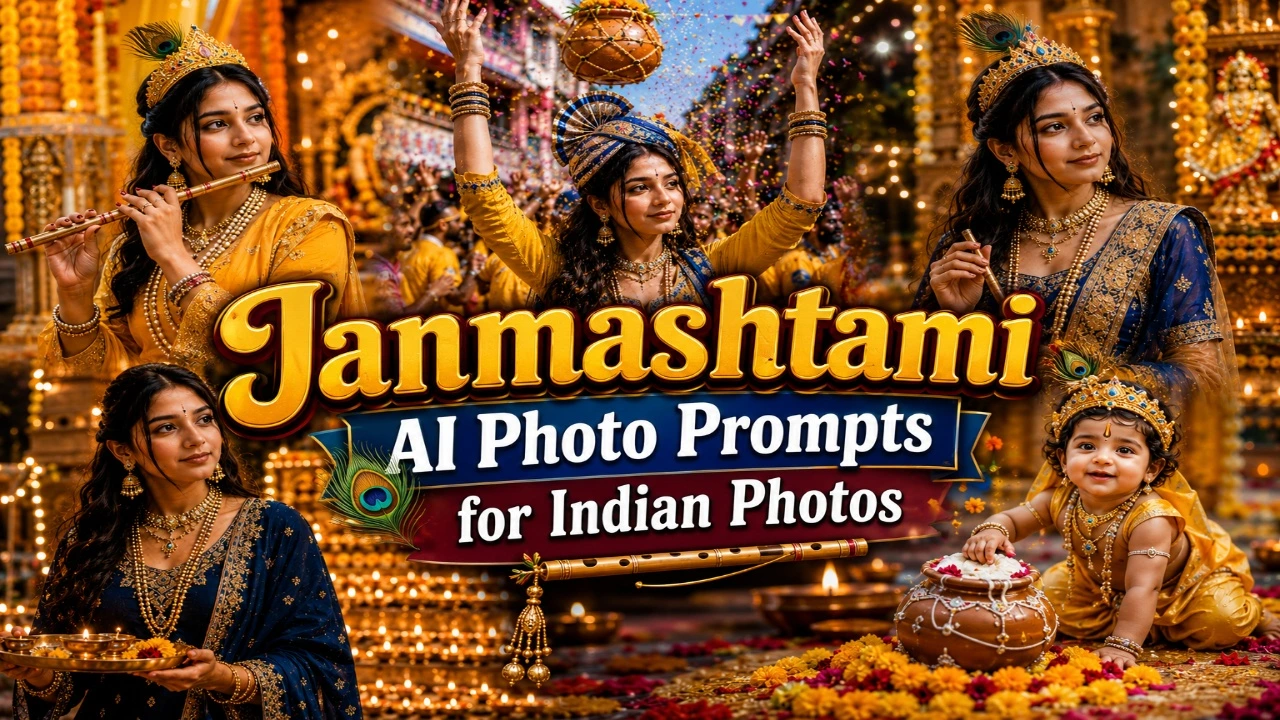
Janmashtami is a popular Indian festival that celebrates the birth of Lord Krishna. People celebrate this special occasion by decorating temples, dressing up in traditional outfits, preparing sweets, and participating in devotional activities. Many people also enjoy creating festive photos to share on Instagram, Facebook, and WhatsApp. With AI photo generators, you can transform an ordinary picture into a beautiful Janmashtami portrait featuring peacock feathers, traditional Indian clothing, decorated temples, and colourful festive backgrounds.
In this article, you will find Janmashtami AI photo prompts for Indian photos that you can copy and use with compatible AI image generators such as ChatGPT and Gemini. Whether you want a Bal Gopal-inspired look, a graceful Radha Krishna portrait, a lively Dahi Handi scene, or a peaceful night aarti photograph, these prompts offer different styles to explore. Upload a clear reference photo, customise the outfits and background, and create festive images for your social media profiles or personal collection.
1. Bal Gopal Krishna AI Photo
A Bal Gopal-inspired AI portrait is a beautiful choice for people who want to celebrate Janmashtami with a traditional devotional look. The combination of yellow clothing, a peacock feather crown, a small flute, and traditional jewellery creates a recognisable Krishna-inspired appearance. You can enhance the scene with flower garlands, decorated temple pillars, diyas, and a colourful rangoli. These elements help create a festive portrait that reflects the traditional atmosphere of Janmashtami.
When creating this type of image, pay attention to the outfit, accessories, and background details. You can choose a simple temple setting or a more elaborate festive backdrop with golden decorations and flowers. Soft lighting can make the portrait look warm and realistic, while a clear reference photo can help preserve your facial features. If you prefer a subtle look, keep the decorations minimal and focus on the traditional clothing and peacock feather details.
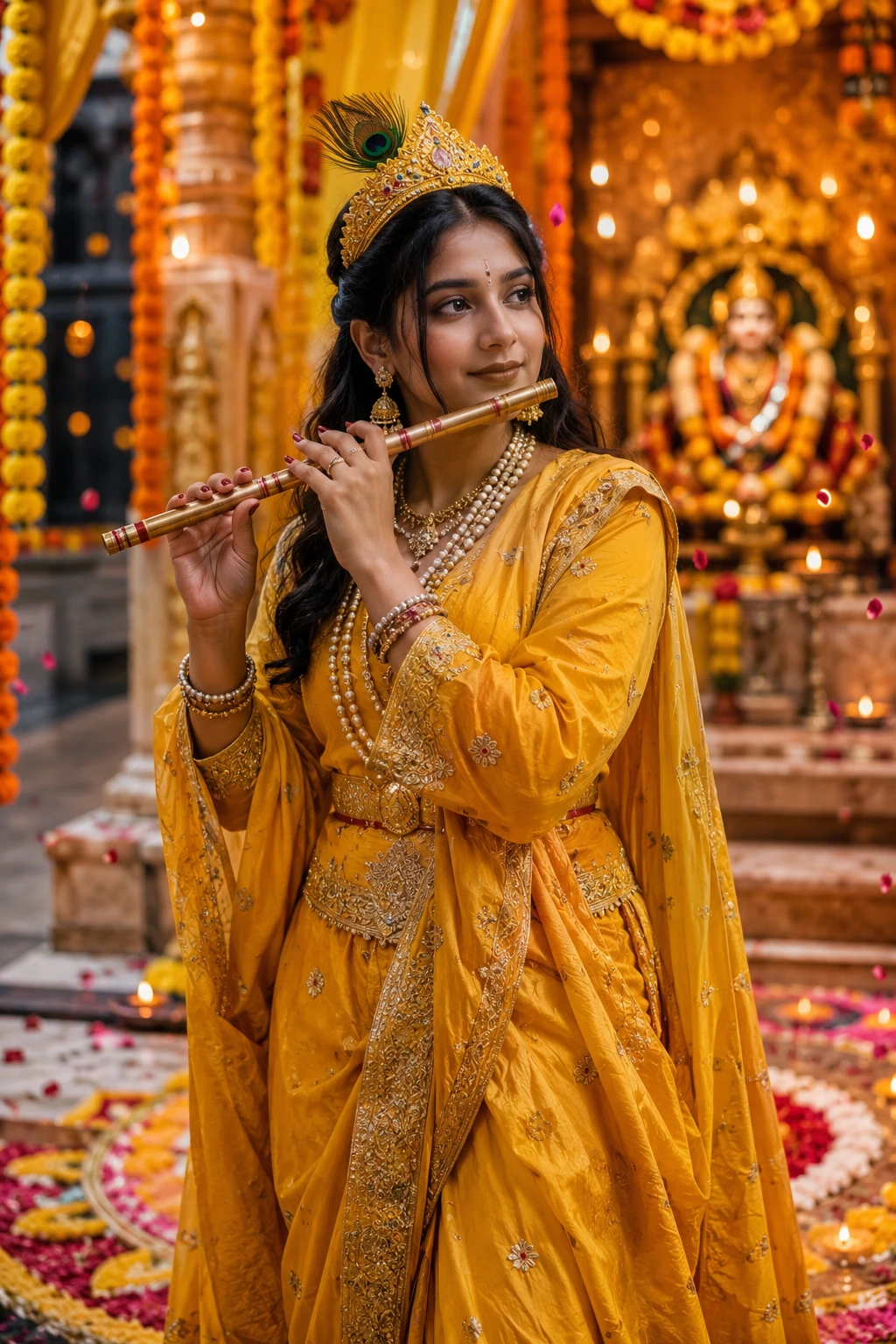
Transform my uploaded photo into an ultra-realistic Krishna Janmashtami portrait while preserving my exact facial features, skin tone, hairstyle, body proportions, and identity. Dress me in a traditional yellow silk dhoti-kurta with intricate golden embroidery, a peacock feather tucked into a matching crown, layered pearl and gold jewelry, and a small flute (bansuri) held near my lips. Style my hair neatly and apply subtle natural makeup while keeping my face completely realistic.

Place me standing in front of a beautifully decorated temple setting with hanging marigold garlands, diyas, flower rangoli on the floor, and soft golden drapes in the background. Add gentle flower petals falling around me and a warm festive glow.

Use warm golden temple lighting with cinematic tones, realistic skin textures, shallow depth of field, creamy bokeh, HDR lighting, DSLR 85mm portrait photography, and premium editorial color grading. Make the final image look like an authentic Janmashtami festival photoshoot. Ultra-realistic, photorealistic, 8K resolution, magazine-quality portrait, natural body proportions, no cartoon or AI-art appearance.
2. Radha Krishna Inspired AI Photo
Radha Krishna-inspired portraits are popular among people who enjoy traditional Indian aesthetics and devotional themes. These images often feature elegant clothing, intricate jewellery, peacock feather decorations, and beautifully designed temple backgrounds. You can experiment with royal blue, yellow, pink, and gold colour combinations to create a graceful festive appearance. Floral decorations, hanging bells, and soft golden lighting can add depth to the overall composition.
For a balanced result, choose clothing and accessories that complement the background rather than competing with it. A traditional pose, a gentle expression, and realistic fabric details can make the portrait look more natural. You can also customise the setting with jasmine garlands, marigold flowers, or carved temple pillars. If you are using your own photo, clearly instruct the AI tool to preserve your facial identity while changing the styling and surroundings.
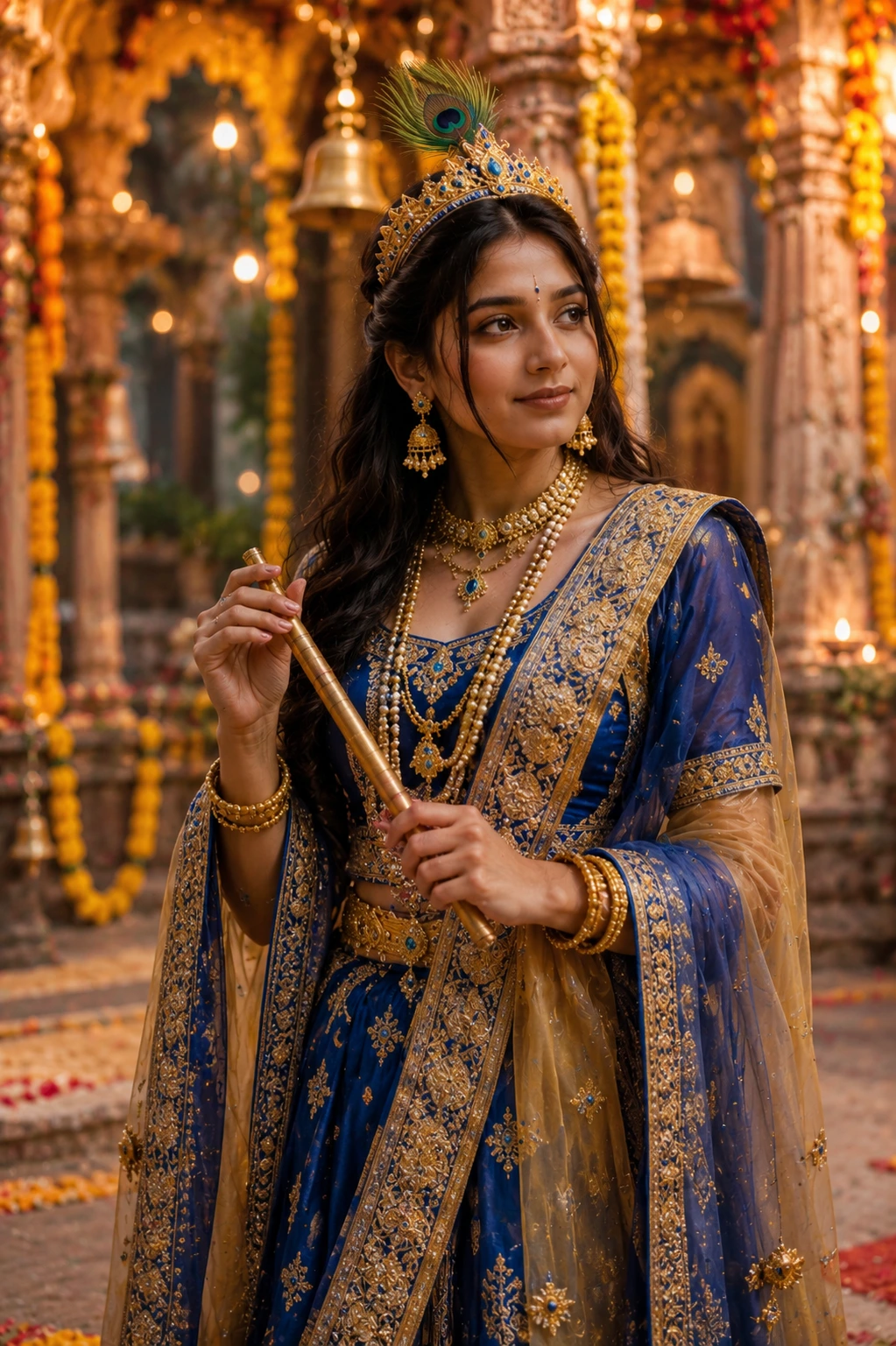
Transform my uploaded photo into an ultra-realistic Radha Krishna-inspired Janmashtami portrait while preserving my exact facial features, skin tone, hairstyle, body proportions, and identity. Dress me in a richly detailed traditional outfit with royal blue and gold tones, a matching dupatta or shawl, elegant temple jewelry, and a decorative crown with peacock feather detailing.

Pose me gracefully in front of an ornate temple courtyard featuring hanging bells, marigold and jasmine garlands, glowing diyas, intricately carved pillars, and soft flower petals scattered on the ground. Add a gentle divine glow surrounding me to enhance the devotional mood.

Use warm ambient temple lighting combined with soft golden highlights, realistic skin details, DSLR 85mm photography, HDR lighting, shallow depth of field, creamy bokeh, premium editorial color grading, and cinematic composition. Make the final image look like it was captured during an authentic Janmashtami celebration. Ultra-realistic, photorealistic, 8K resolution, magazine-quality finish, natural body proportions, no cartoon or AI-art appearance.
3. Dahi Handi Celebration AI Portrait
Dahi Handi is one of the most energetic and colourful celebrations associated with Janmashtami. The event often features decorated earthen pots, colourful flags, festive crowds, music, and traditional clothing. An AI-generated Dahi Handi portrait can capture this lively atmosphere without requiring you to arrange a special photoshoot. You can create a picture showing yourself celebrating with friends, standing near a decorated matki, or enjoying the festive surroundings.
To make the image more convincing, describe the scene and your pose clearly. Bright daylight, colourful decorations, and natural expressions can help create a cheerful festival photograph. You can choose a traditional kurta, a festive outfit, or a simple look that matches the occasion. Keep the background detailed but not overcrowded, and ask the AI tool to maintain realistic facial features, natural body proportions, and accurate clothing details.
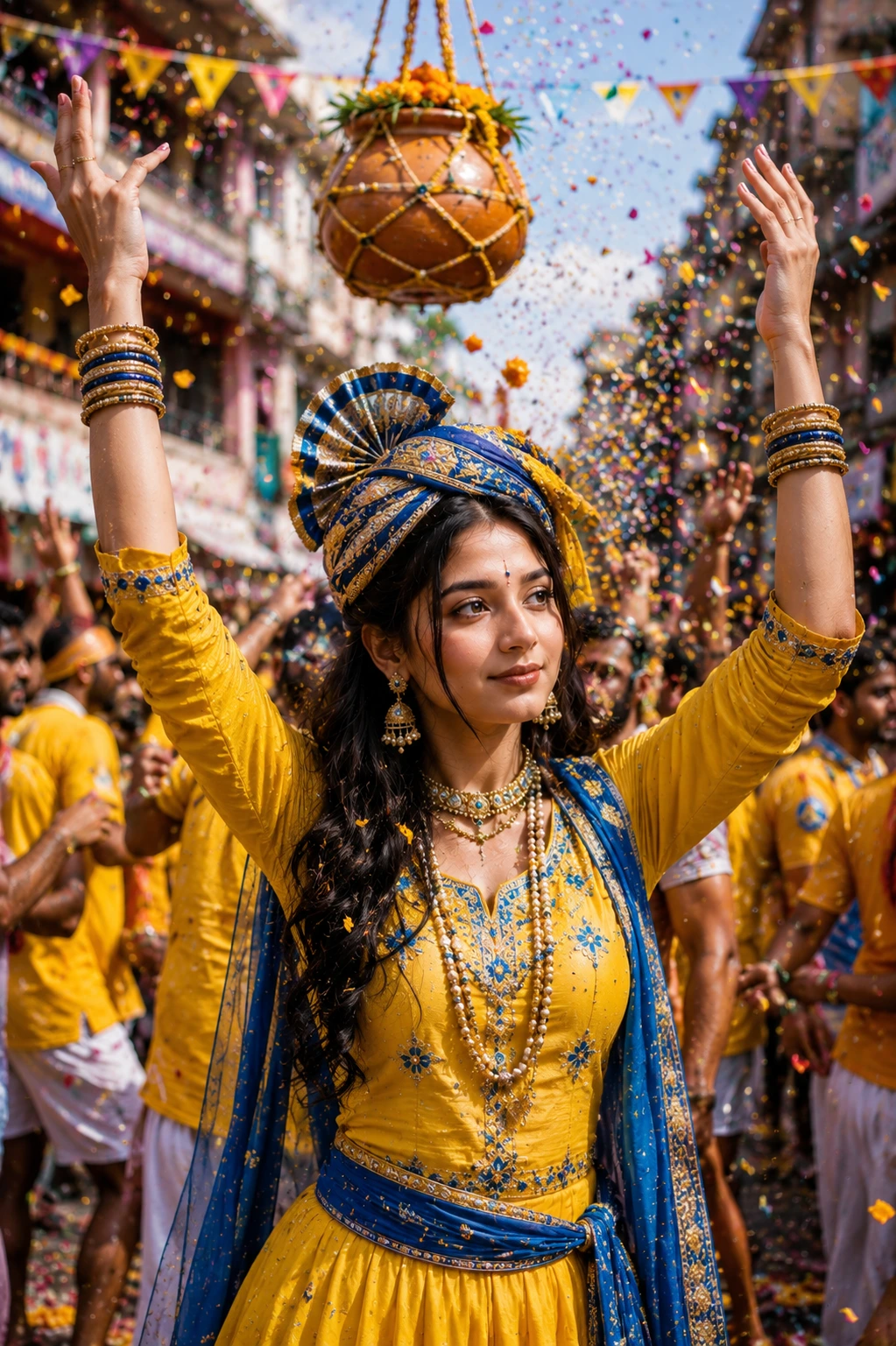
Transform my uploaded photo into an ultra-realistic Dahi Handi Janmashtami celebration portrait while preserving my exact facial features, skin tone, hairstyle, body proportions, and identity. Dress me in a traditional yellow and blue festive outfit with a matching turban or headpiece, layered jewelry, and comfortable festival attire suited for celebration. Keep my hairstyle, facial expression, and natural appearance completely realistic.

Create a lively Dahi Handi scene with a decorated clay pot (matki) hanging above, colorful bunting flags, confetti and flower petals in the air, festive crowd energy in the background, and vibrant street decorations. Capture the moment of me joyfully celebrating with hands raised in excitement.

Use bright natural daylight, cinematic photography, realistic skin textures, shallow depth of field, DSLR 85mm portrait style, HDR lighting, premium editorial color grading, creamy bokeh, and ultra-realistic details. The final image should feel joyful, vibrant, and professionally photographed.
4. Krishna Janmashtami Night Aarti AI Photo
A night aarti portrait is ideal for capturing the peaceful and devotional atmosphere of Janmashtami celebrations. Glowing diyas, warm fairy lights, flower garlands, and a decorated Krishna jhula can create a beautiful festive background. Traditional clothing in shades of blue, maroon, cream, or gold can complement the warm light and give the portrait an elegant appearance. This style is suitable for people who prefer a calm and traditional photograph rather than a bright, energetic celebration scene.
For the best result, focus on the lighting and the placement of the festive elements. A diya or aarti thali held naturally in your hands can make the image feel more connected to the occasion. Soft golden lighting can create a warm atmosphere, while a slightly blurred background helps keep attention on the subject. Ask the AI tool to preserve your natural skin texture and facial features, and review the final image for realistic hands, jewellery, and lighting.
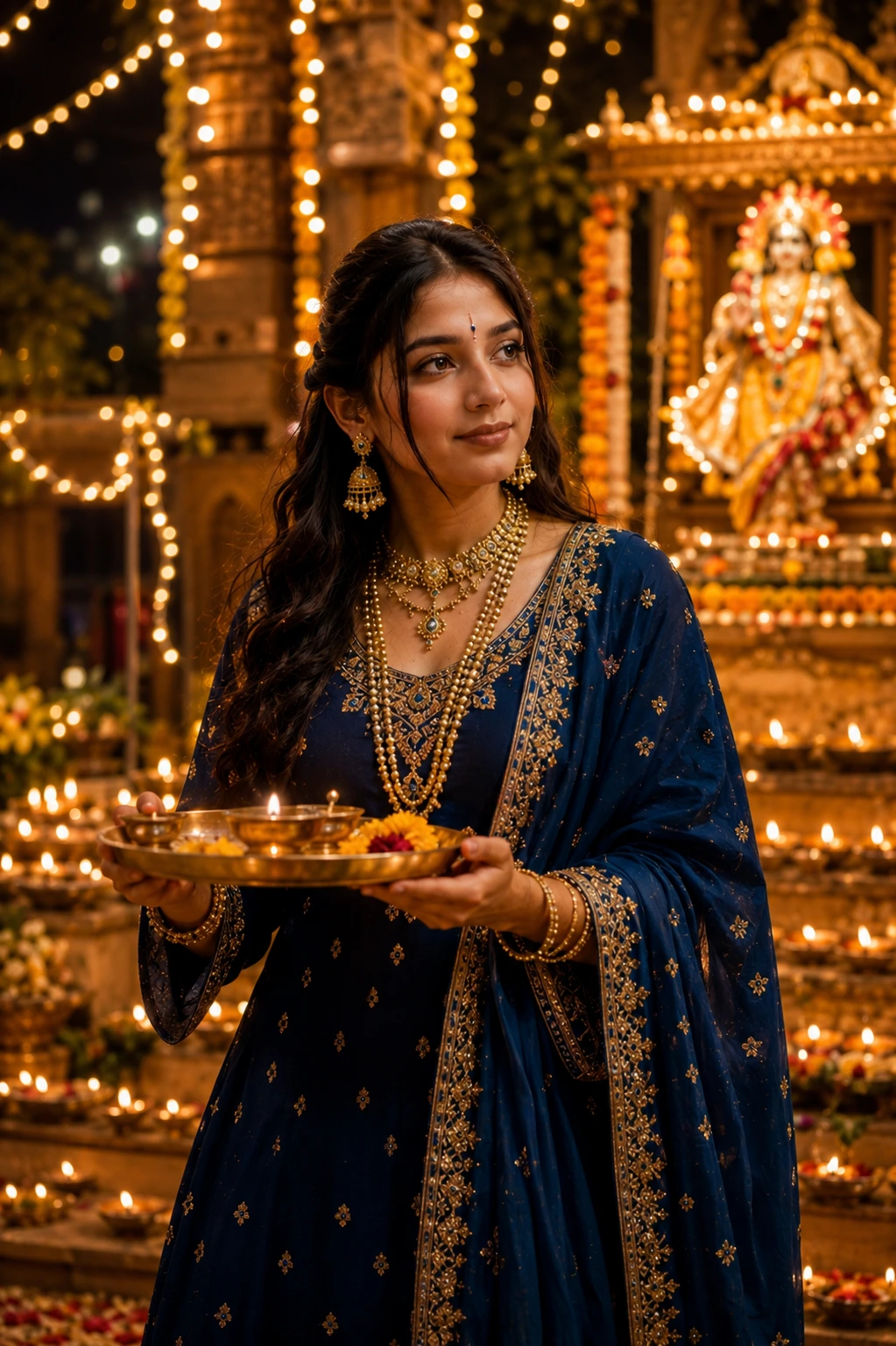
Transform my uploaded photo into an ultra-realistic Janmashtami night aarti portrait while preserving my exact facial features, skin tone, hairstyle, body proportions, and identity. Dress me in an elegant traditional outfit in deep blue, maroon, or gold tones with fine embroidery, layered traditional jewelry, and a small tilak on the forehead for a devotional touch.

Place me in a beautifully lit night setting with rows of glowing diyas, a decorated Krishna idol or jhula (swing) softly visible in the background, strings of fairy lights, marigold garlands, and a peaceful temple courtyard ambiance. Add a gentle diya or aarti thali held in my hands.

Use warm diya lighting with soft golden and amber tones, realistic skin textures, cinematic night photography, shallow depth of field, creamy bokeh, DSLR 85mm portrait style, HDR lighting, and premium editorial color grading. Make the final image look like an authentic Janmashtami night celebration photograph. Ultra-realistic, photorealistic, 8K resolution, magazine-quality portrait, natural body proportions, no cartoon or AI-art appearance.
Pro Tips for Creating Janmashtami AI Photos
Creating realistic Janmashtami AI photos requires a clear prompt, a good reference image, and the right combination of traditional elements. Whether you are creating a Krishna-inspired portrait or a festive celebration photo, focus on natural facial features, authentic Indian outfits, and suitable backgrounds. Follow these tips to improve your results with AI image generators like Gemini and ChatGPT.
- Use a Clear Reference Photo: Upload a high-quality image with a clearly visible face to help the AI tool generate a more recognisable portrait.
- Preserve Your Facial Features: Include instructions to maintain your original face, skin tone, hairstyle, and natural body proportions.
- Choose Traditional Outfits: Specify clothing details such as a yellow dhoti, embroidered kurta, traditional jewellery, or festive saree.
- Add Janmashtami Decorations: Include relevant elements like peacock feathers, a flute, a decorated Krishna jhula, marigold flowers, diyas, or a festive matki.
- Select a Suitable Background: Choose a decorated temple, traditional Indian home, flower-filled setting, or Dahi Handi celebration according to your preferred theme.
- Describe the Lighting: Use soft golden light for traditional portraits, warm diya lighting for evening scenes, and natural daylight for outdoor celebrations.
- Keep Poses Natural: Try simple poses, relaxed expressions, and realistic body positions for more authentic-looking photographs.
- Avoid Too Many Details: Focus on the main subject, outfit, and background instead of adding too many decorations or effects.
- Experiment with Different Prompts: Change the outfit, lighting, or background one detail at a time until you get the desired result.
- Check the Final Image: Review facial features, hands, clothing, and accessories for unnatural details before sharing the photo.
For a personalised Janmashtami portrait, upload your own photo and ask the AI tool to preserve your identity while changing the outfit, background, and festive decorations. This can help you create a unique image that looks more natural and matches your preferred style. These Janmashtami AI photo prompts give you a simple way to turn your everyday photos into festive, temple-ready portraits without needing a professional studio or elaborate costumes.
Just pick the mood you’re going for, whether it’s the divine Bal Gopal look, a graceful Radha Krishna theme, the high-energy Dahi Handi vibe, or a peaceful diya-lit aarti moment, paste the prompt into your AI tool along with your photo, and you’ll have a shareable, festival-ready image ready in seconds for WhatsApp status, Instagram posts, or family group chats this Janmashtami.