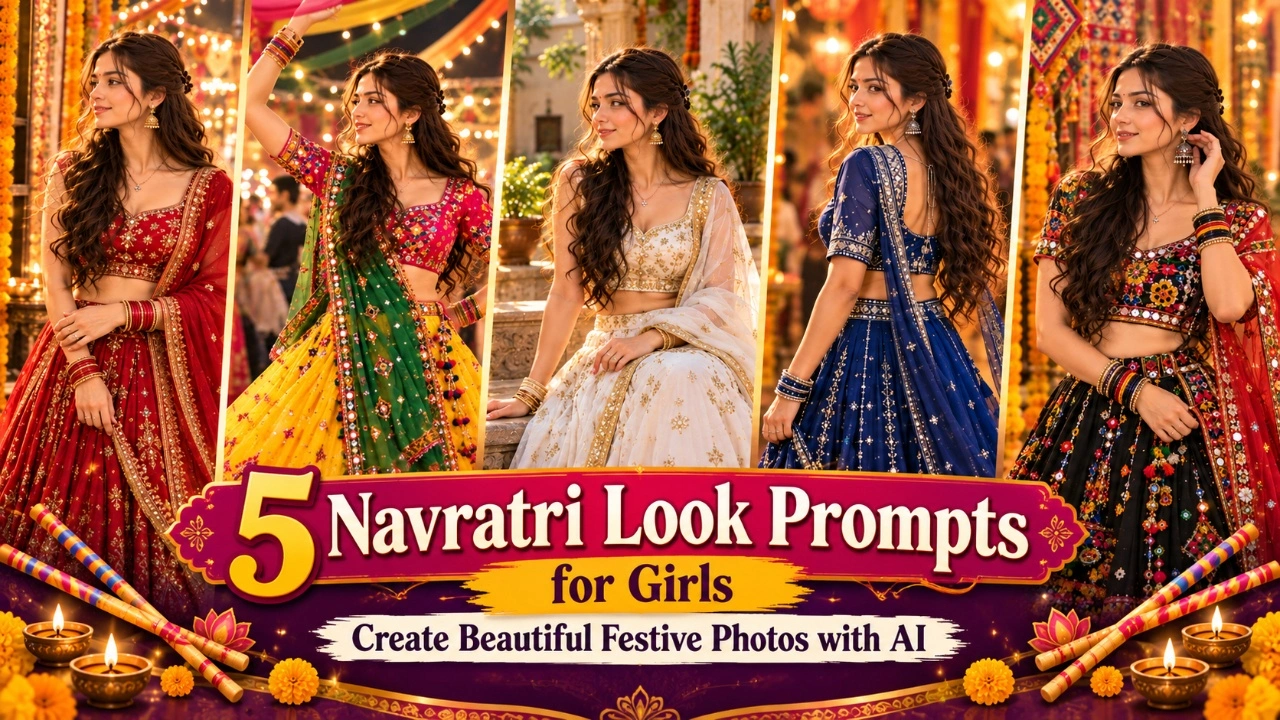

AI photo editing has become a popular way for girls to create stylish portraits for Instagram, WhatsApp DPs, and other social media platforms. With the right prompt, you can transform a simple selfie into a beautiful portrait with professional lighting, attractive outfits, and creative backgrounds. From soft pastel aesthetics to bold corporate looks, AI photo generators offer many ways to experiment with different styles without arranging a professional photoshoot.
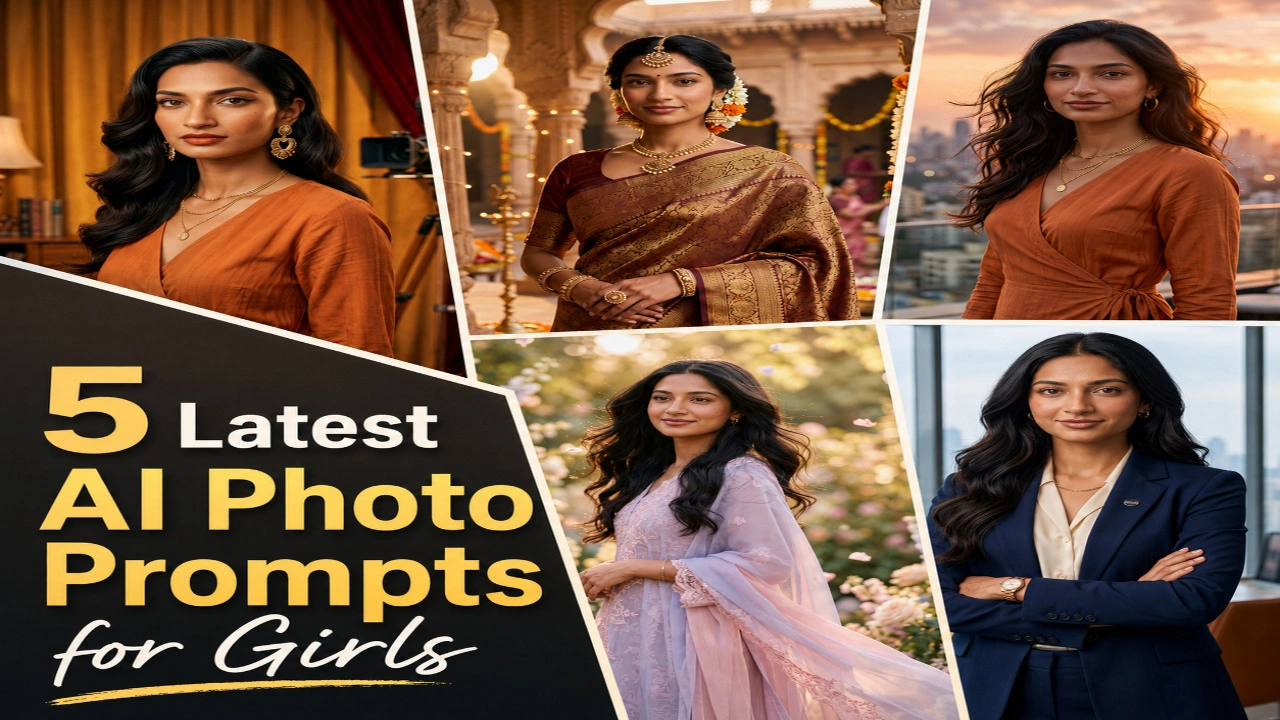
In this article, you will find five latest AI photo prompts for girls that you can copy and use with compatible AI image generators such as Gemini and ChatGPT. Each prompt offers a different look, including dreamy pastel portraits, professional business photos, traditional saree styles, cinematic sunset scenes, and retro Bollywood-inspired pictures. Upload a clear reference photo, customise the details, and create images that match your personal style. These prompts are suitable for profile pictures, social media posts, and creative photo collections.
1. Dreamy Pastel Aesthetic AI Photo
A dreamy pastel aesthetic is perfect for girls who prefer soft colours, delicate styling, and a natural, elegant appearance. Shades such as pastel pink, lavender, cream, and baby blue can give your portrait a gentle and refreshing look. Adding flowers, soft sunlight, and a blurred background can make the image feel like a professional lifestyle photoshoot. This style works particularly well for Instagram posts, aesthetic profile pictures, and Pinterest-inspired portraits.
For a more realistic result, choose an outfit that complements the background instead of using too many contrasting colours. Soft waves, minimal accessories, and a relaxed expression can enhance the overall look. You can also experiment with different flower arrangements, outdoor gardens, or sunlight coming through a window. Ask the AI tool to preserve your original facial features and natural skin texture so the final portrait still resembles you.
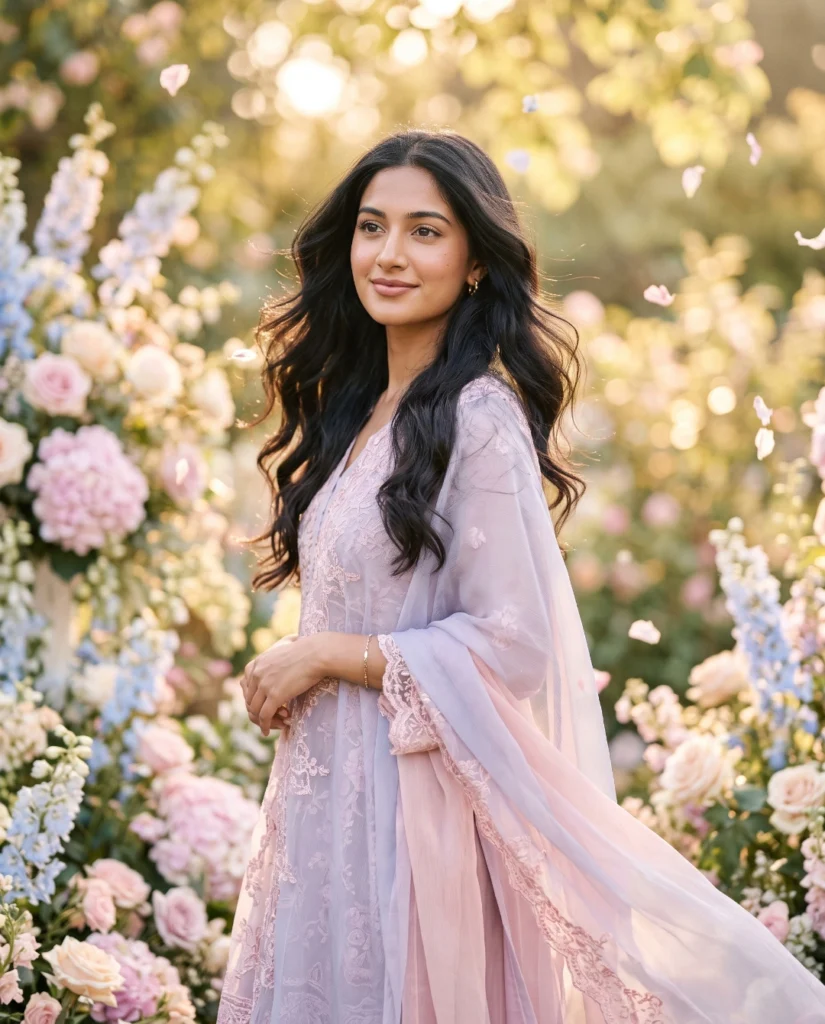
Transform my uploaded photo into an ultra-realistic pastel aesthetic portrait while preserving my exact facial features, skin tone, hairstyle, body proportions, and identity. Style my hair in soft loose waves and dress me in a flowy pastel pink or lavender outfit with delicate details. Keep my facial expression and natural features completely realistic.

Place me in a dreamy setting with soft pastel-colored flowers, a hazy golden light filtering through, floating petals, and a blurred aesthetic background. Add a gentle breeze effect to my hair and outfit for a soft cinematic feel.

Use soft diffused lighting, warm pastel color grading, realistic skin textures, shallow depth of field, creamy bokeh, DSLR 85mm portrait photography, and premium editorial finishing. Ultra-realistic, photorealistic, 8K resolution, magazine-quality portrait, natural body proportions, no cartoon or AI-art appearance.
2. Boss Lady Corporate AI Photo
A corporate AI portrait is a useful choice for girls who want a confident and professional image for LinkedIn, resumes, portfolios, or business profiles. A well-fitted blazer, simple accessories, and a modern office background can create a polished appearance. Unlike casual selfies, this style focuses on confidence, neat styling, and professional lighting. You can choose a formal office setting or a minimal background depending on where you plan to use the image.
To improve the result, describe the pose, outfit, and background clearly in your prompt. A natural smile, relaxed shoulders, and direct eye contact can make the portrait look professional without appearing too formal. Neutral colours such as black, navy blue, beige, and white work well for corporate styling. If you are creating a professional profile picture, keep the background simple and avoid unnecessary decorative elements that may distract from your face.
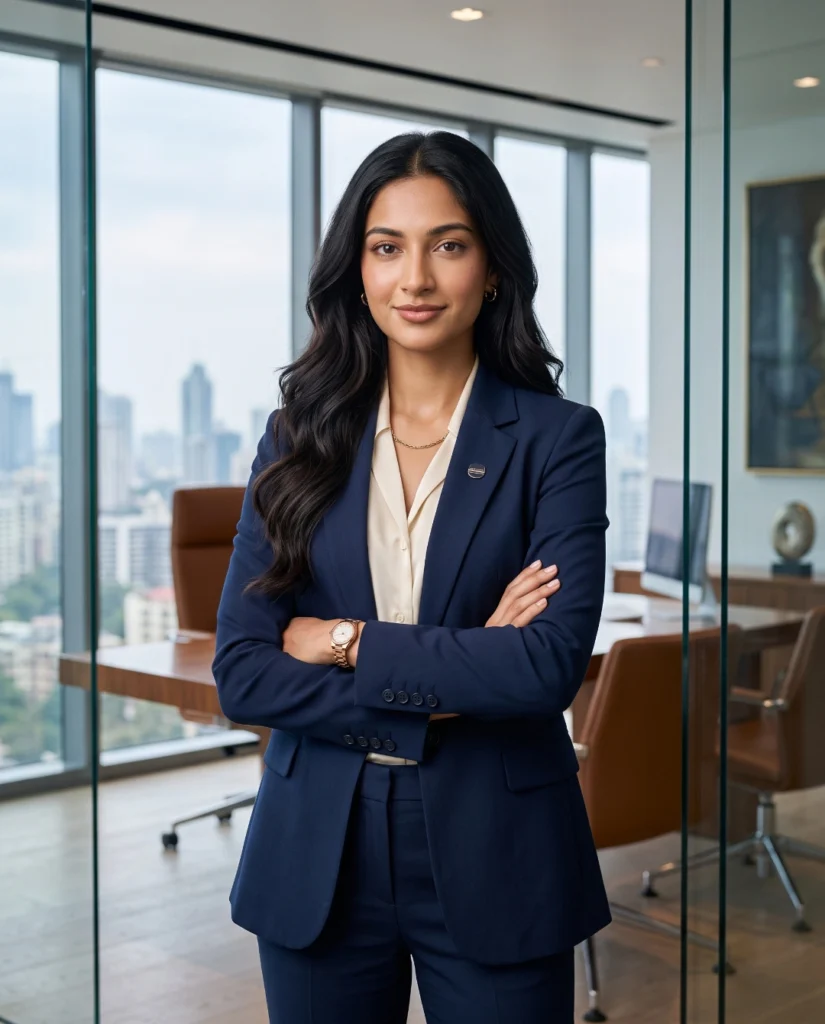
Transform my uploaded photo into an ultra-realistic corporate boss lady portrait while preserving my exact facial features, skin tone, hairstyle, body proportions, and identity. Dress me in a sharply tailored blazer with formal business attire, subtle jewelry, and neatly styled hair. Keep my expression confident and my features completely realistic.

Pose me standing confidently with arms crossed or one hand on my hip inside a modern glass office with a city skyline visible through large windows, elegant furniture, and soft ambient office lighting in the background.

Use professional studio-style lighting, realistic skin details, shallow depth of field, creamy bokeh, DSLR 85mm portrait photography, HDR lighting, and premium editorial color grading. Ultra-realistic, photorealistic, 8K resolution, magazine-quality finish, natural body proportions, no cartoon or AI-art appearance.
3. Traditional Saree AI Portrait
Traditional saree portraits remain a popular choice for girls who want to showcase Indian fashion and cultural elegance. A silk saree, traditional jewellery, and a beautifully decorated Indian setting can create a graceful look for festive occasions, weddings, and social media posts. You can experiment with different saree colours, including red, green, royal blue, maroon, and pastel shades. Each colour can create a different mood while keeping the overall appearance rooted in traditional Indian style.
For a more authentic portrait, pay attention to the saree draping, jewellery, hairstyle, and fabric details. You can choose a royal courtyard, a heritage-style interior, or a simple traditional home background. Accessories such as jhumkas, bangles, a bindi, or fresh flowers can add detail without making the image look overcrowded. For the most natural result, ask the AI tool to preserve your facial identity and create realistic fabric folds, skin texture, and lighting.
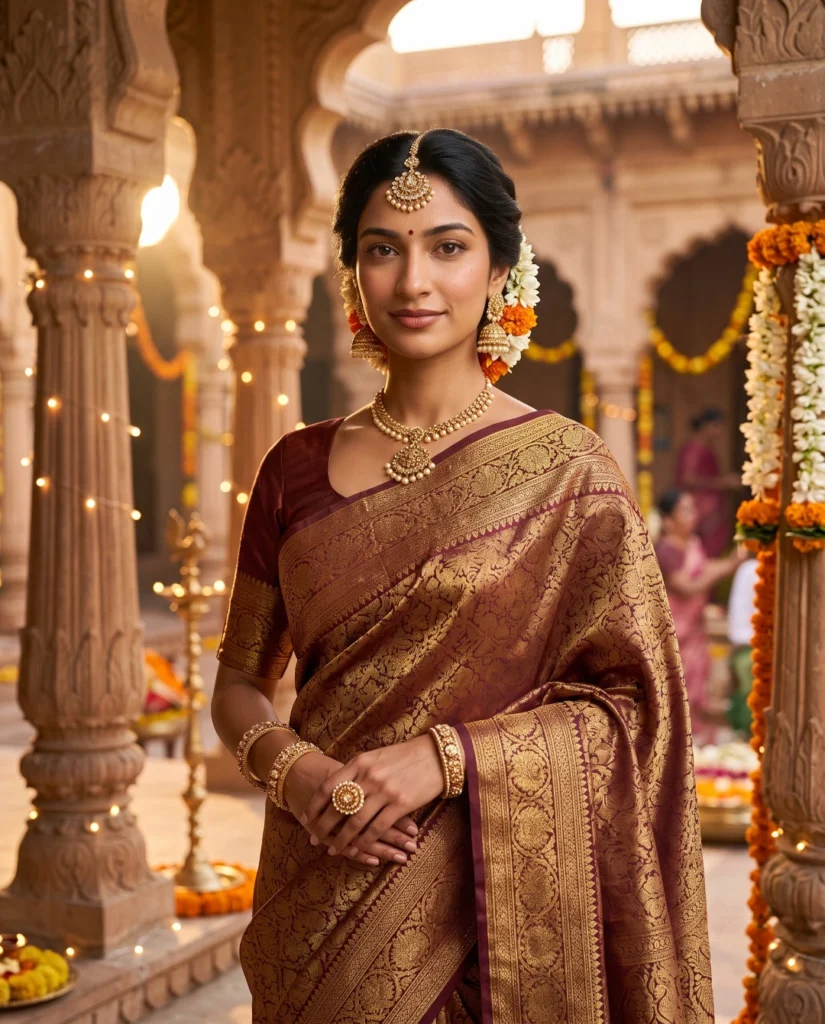
Transform my uploaded photo into an ultra-realistic traditional saree portrait while preserving my exact facial features, skin tone, hairstyle, body proportions, and identity. Dress me in an elegant silk saree with intricate golden border work, traditional jewelry including jhumkas and a maang tikka, and a neatly styled bun with fresh flowers.

Place me in a royal Indian courtyard setting with ornate pillars, warm string lights, marigold flower decorations, and a soft golden-hour glow in the background.

Use warm golden lighting, realistic skin textures and fabric details, shallow depth of field, creamy bokeh, DSLR 85mm portrait photography, HDR lighting, and premium editorial color grading. Ultra-realistic, photorealistic, 8K resolution, magazine-quality portrait, natural body proportions, no cartoon or AI-art appearance.
4. Cinematic Rooftop Sunset AI Photo
A cinematic rooftop sunset portrait is ideal for girls who want a dramatic and stylish photograph with a modern atmosphere. The warm orange and pink shades of the evening sky, combined with city lights and a gentle breeze, can create a beautiful background. This style works well for casual outfits, flowing dresses, and contemporary fashion looks. The combination of natural sunset colours and cinematic lighting can make an ordinary photograph feel like a scene from a movie.
For a striking result, try a relaxed standing pose, a side profile, or a candid moment while looking towards the sunset. Choose an outfit that complements the warm background, such as black, white, beige, or earthy tones. You can also add a subtle lens flare and a softly blurred city skyline. Avoid excessive effects if you want a realistic portrait, and include clear instructions to maintain your original facial features, natural body proportions, and realistic skin texture.
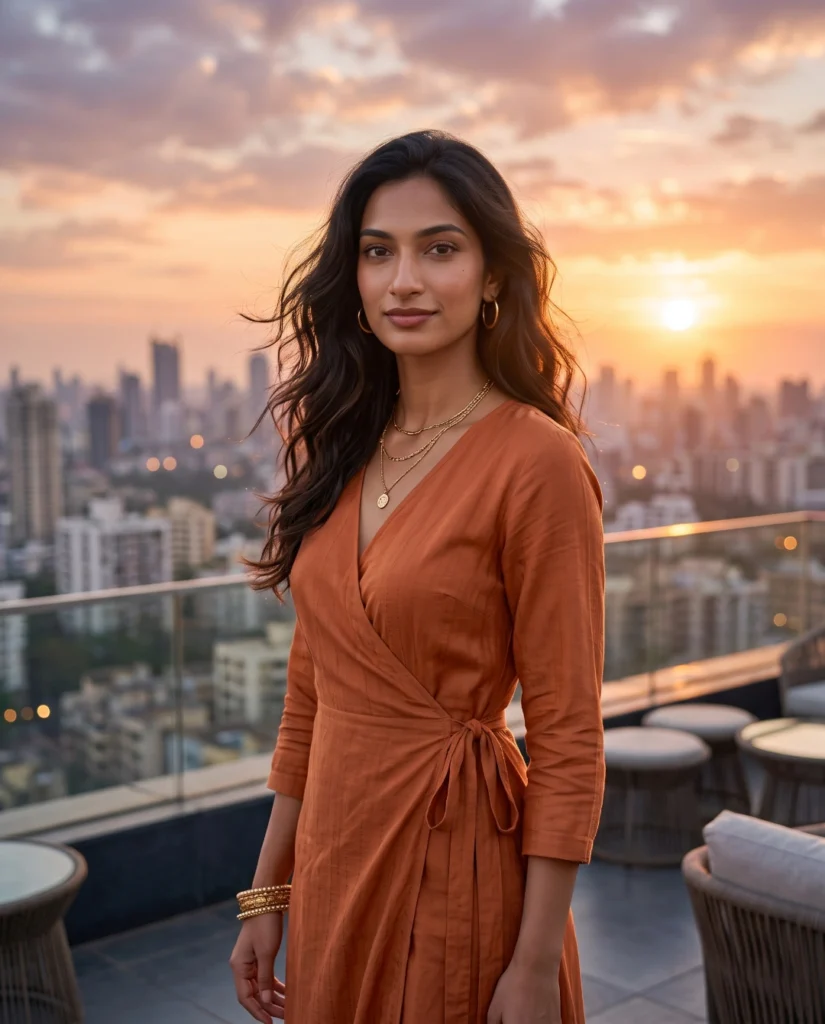
Transform my uploaded photo into an ultra-realistic cinematic rooftop sunset portrait while preserving my exact facial features, skin tone, hairstyle, body proportions, and identity. Style my hair naturally flowing in the wind and dress me in a chic casual outfit that complements a warm sunset tone.

Place me standing on a rooftop with a sprawling city skyline in the background, dramatic orange and pink sunset clouds, soft lens flare, and a light breeze effect on my hair and clothes.

Use warm cinematic golden-hour lighting, realistic skin textures, shallow depth of field, creamy bokeh, DSLR 85mm portrait photography, HDR lighting, and premium film-style color grading. Ultra-realistic, photorealistic, 8K resolution, magazine-quality portrait, natural body proportions, no cartoon or AI-art appearance.
5. Retro Vintage Bollywood AI Photo
Retro Bollywood-inspired portraits are a great option for girls who love classic Indian cinema and vintage fashion. This style often features retro hairstyles, statement earrings, bold colours, and warm film-inspired tones. A vintage room, old-fashioned furniture, or a classic cinema-style background can help recreate the atmosphere of an earlier era. You can experiment with different decades and styling choices to create a portrait that feels nostalgic while remaining visually appealing.
To make your vintage portrait more convincing, focus on the details that define the chosen era. Try classic waves, winged eyeliner, a retro saree, or a vintage-inspired dress with matching accessories. Warm lighting and subtle film grain can add character to the image without making it look artificial. If you prefer a more natural result, ask the AI tool to keep your face realistic and use vintage effects only for the styling, colours, and background.
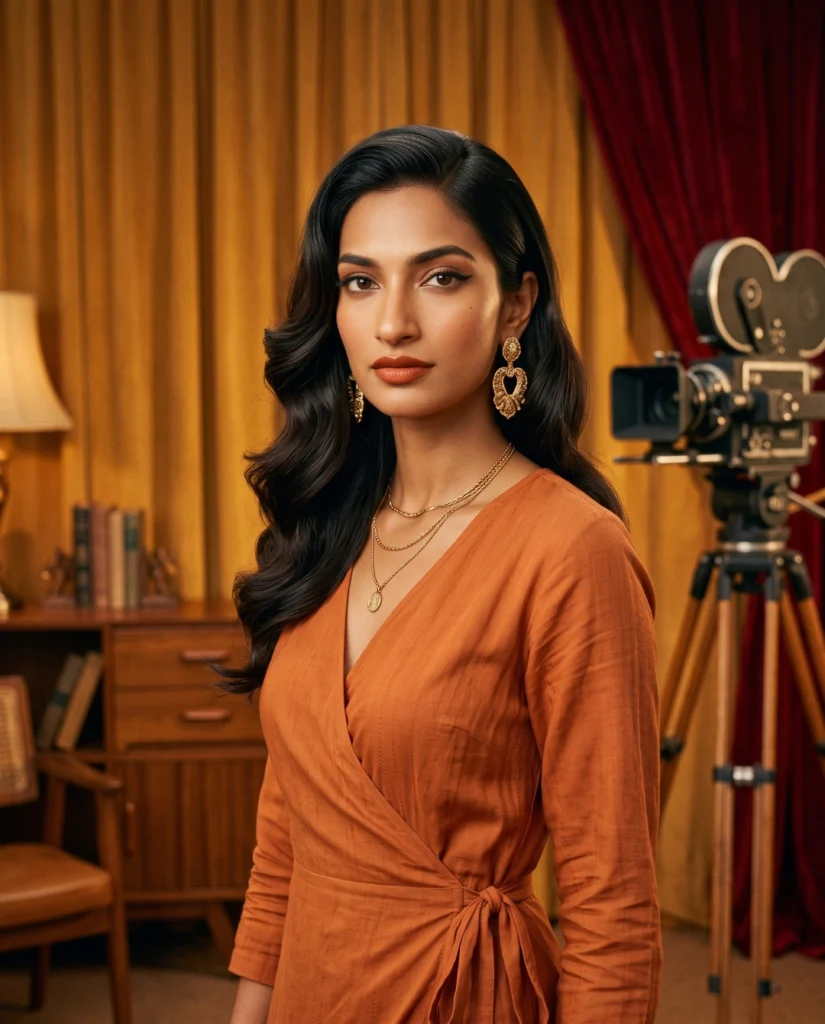
Transform my uploaded photo into an ultra-realistic retro vintage Bollywood-style portrait while preserving my exact facial features, skin tone, hairstyle, body proportions, and identity. Style my hair in a classic retro wave and dress me in a vintage-inspired outfit with bold retro makeup and statement earrings.

Place me against a retro backdrop featuring vintage furniture, warm-toned curtains, an old film camera prop, and soft warm lighting reminiscent of classic Bollywood film sets.

Use warm vintage film lighting, grainy retro color grading, realistic skin textures, shallow depth of field, creamy bokeh, DSLR 85mm portrait photography, and premium editorial finishing. Ultra-realistic, photorealistic, 8K resolution, magazine-quality portrait, natural body proportions, no cartoon or AI-art appearance.
Pro Tips for Creating Better AI Photos for Girls
Getting a beautiful AI-generated portrait depends on choosing the right reference photo and describing your preferred look clearly. Before using a prompt, decide whether you want a soft aesthetic, a professional headshot, a traditional Indian portrait, a cinematic photograph, or a vintage-inspired image. Include important details such as the outfit, hairstyle, pose, background, and lighting. A clear prompt can help the AI tool understand your idea and create a result that better matches your expectations.
You can also customise each prompt according to your personal style instead of using it exactly as written. Change the outfit colours, background, accessories, or camera angle while keeping the main idea the same. If the first result does not look right, adjust one or two details and generate another version. Different AI tools may interpret prompts differently, so reviewing the final image is important before using it on social media or in a professional profile. Below are some tips to improve your AI-generated portraits:
- Use a clear reference photo: Choose an image with good lighting and a clearly visible face.
- Preserve your identity: Ask the AI tool to retain your facial features, skin tone, hairstyle, and natural body proportions.
- Describe your outfit: Mention the clothing style, colour, fabric, and accessories you prefer.
- Choose suitable lighting: Use soft lighting for pastel portraits, professional lighting for corporate photos, and golden-hour lighting for sunset scenes.
- Keep the background relevant: Match the setting to your chosen theme instead of mixing unrelated styles.
- Avoid excessive effects: Too many filters or visual effects can make a portrait look artificial.
- Generate different versions: Try small prompt changes to compare poses, colours, and backgrounds.
- Check the final image: Review facial details, hands, clothing, and other elements before sharing.
These five AI photo prompts for girls offer different ways to create stylish and realistic portraits without arranging a professional photoshoot. Whether you prefer a dreamy pastel aesthetic, a confident corporate look, a traditional saree portrait, a cinematic rooftop scene, or a retro Bollywood style, you can customise each prompt to suit your preferences. The right combination of outfits, lighting, poses, and backgrounds can help you create images for Instagram, WhatsApp, LinkedIn, and other platforms.
Choose your favourite prompt, upload a clear reference photo, and adjust the details to get the desired result. For better output, focus on realistic facial features, natural expressions, and suitable lighting. You can also experiment with different backgrounds and outfit colours to create multiple versions of the same photo. Try these AI photo prompts and explore new styles for your next profile picture or social media post.