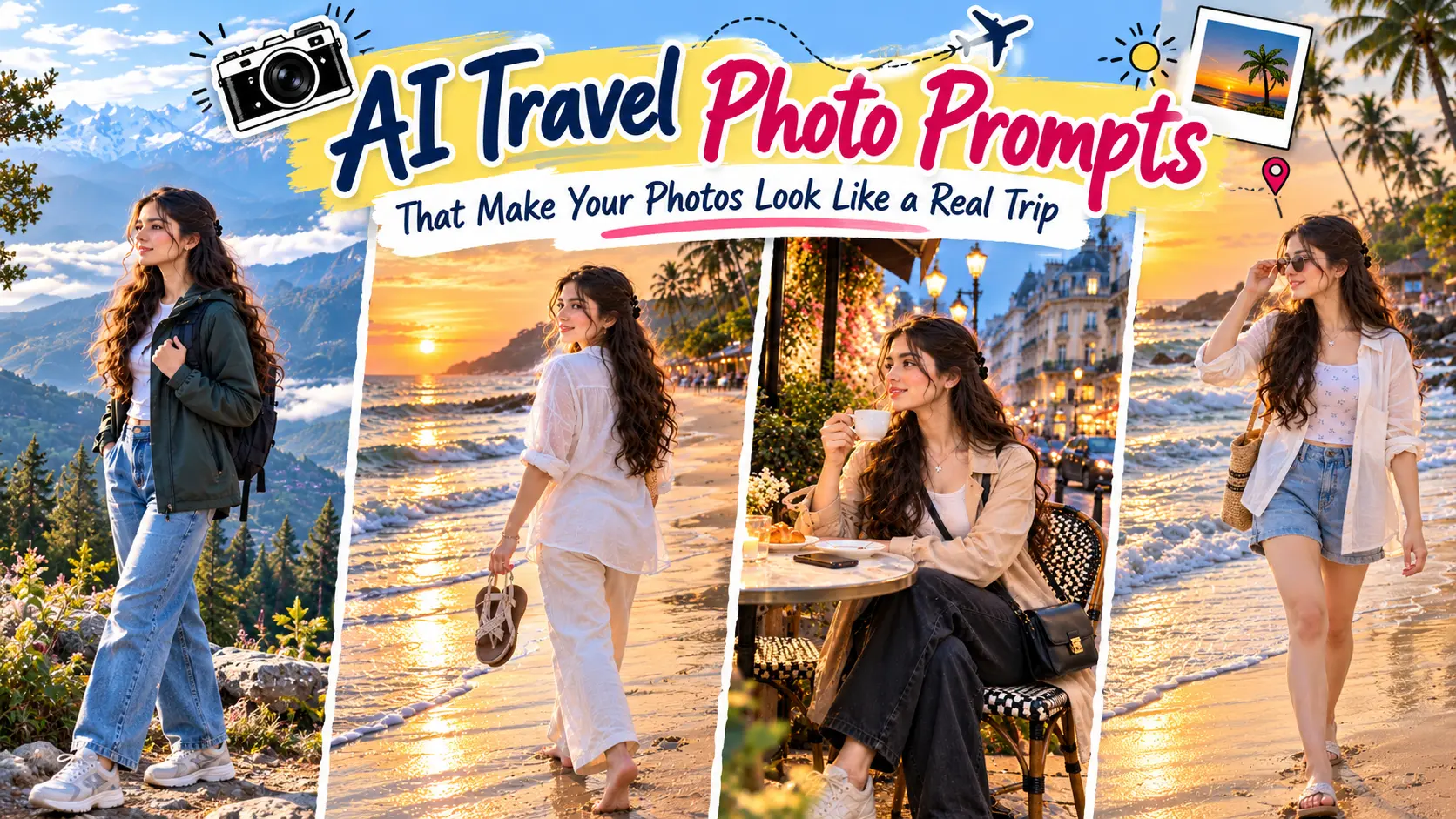

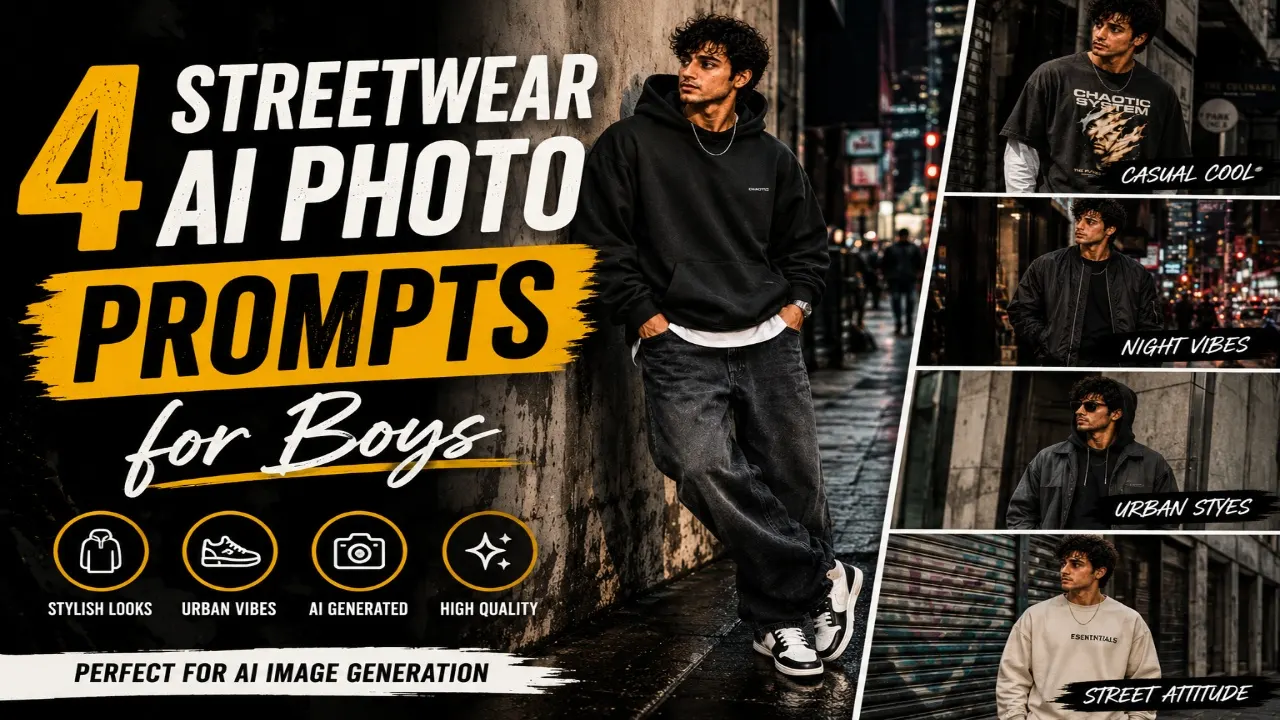
Streetwear is all about wearing clothes that feel comfortable while showing off your personal style. From oversized hoodies and baggy jeans to stylish sneakers and layered outfits, the right combination can give your photos a completely different look. If you want to try new streetwear styles without buying new clothes or planning a photoshoot, AI photo generators can help. With a simple prompt, you can experiment with different outfits, poses, backgrounds, and lighting to create pictures that match your fashion preferences.
In this article, you will find amazing streetwear AI photo prompts for boys that you can copy and use with compatible AI image generators. Whether you prefer a relaxed urban look, oversized outfits, trendy sneakers, or a bold street-fashion aesthetic, these prompts give you different ideas to explore. You can also upload your own photo as a reference and customise the clothing, hairstyle, and background to suit your taste. Try different combinations to create a streetwear portrait for your Instagram DP, social media posts, or personal collection.
1. Urban Streetwear AI Photo
Oversized hoodies are a popular choice for boys who prefer a relaxed and modern streetwear style. They pair well with baggy jeans, cargo trousers, and chunky sneakers, creating an outfit that looks casual without feeling ordinary. You can experiment with neutral colours such as black, grey, and beige or choose brighter shades to make the outfit stand out. A simple urban background can complete the look while keeping the focus on your clothing.
With an AI photo prompt, you can try different hoodie designs, colour combinations, and poses without changing your actual wardrobe. You can choose a standing pose against a concrete wall or a relaxed pose on city steps. For a natural result, describe the fabric, fit, footwear, and lighting clearly. Use the prompt below to create an oversized hoodie portrait that matches your personal streetwear style.
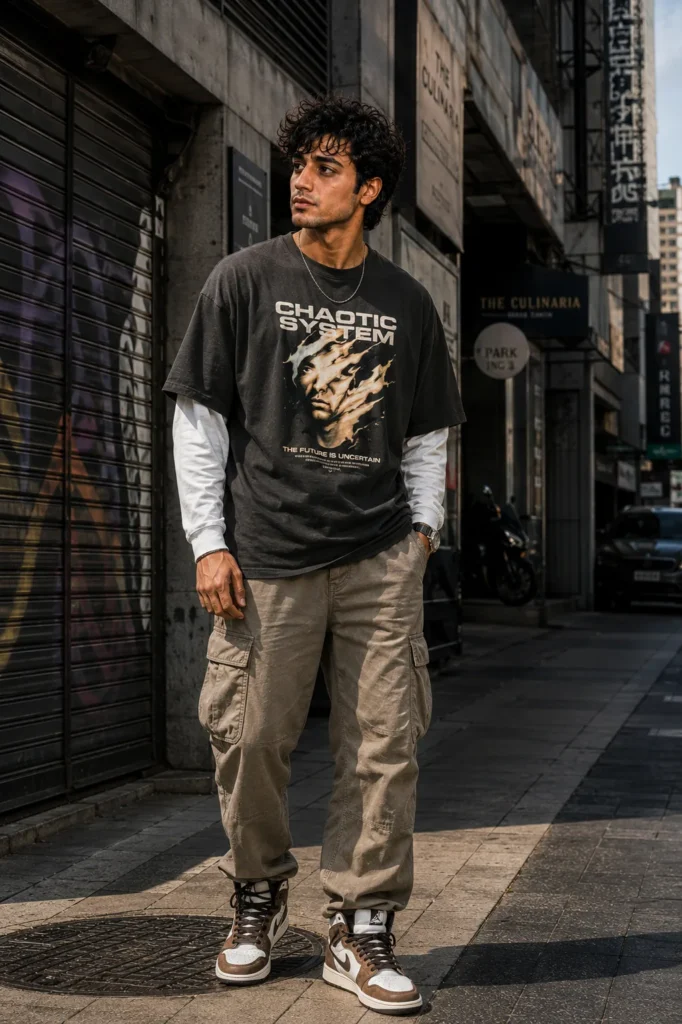
Transform my uploaded photo into an ultra-realistic premium urban streetwear portrait while preserving my exact facial features, skin tone, hairstyle, body proportions, and personal identity. Keep my face completely recognizable and consistent with the uploaded reference image. Preserve my natural eyes, eyebrows, nose, lips, jawline, facial structure, hairstyle, facial hair if present, and realistic skin texture. Do not replace my face, alter my identity, or make my appearance look artificially enhanced.

Dress me in a modern oversized streetwear outfit consisting of a heavyweight neutral-toned oversized graphic T-shirt layered over a clean long-sleeve shirt, relaxed-fit cargo pants, premium high-top sneakers, and subtle minimal accessories such as a watch and a simple chain. Keep the clothing fashionable but realistic, with accurate fabric weight, natural wrinkles, stitching, folds, shadows, and believable proportions.

Place me on a stylish urban street surrounded by modern concrete buildings, textured walls, metal shutters, storefronts, street signs, parked vehicles, and subtle city details. The location should feel like a real contemporary metropolitan neighborhood rather than a digitally generated background.

Pose me casually on the sidewalk with one hand inside my cargo-pants pocket and the other resting naturally near my side. Keep my shoulders relaxed, posture confident, and facial expression calm and composed. Make the pose look spontaneous and natural, similar to a professional streetwear fashion photoshoot.

Use soft natural afternoon daylight with subtle directional sunlight creating realistic highlights and shadows on my face, clothing, and surroundings. Add gentle background blur while keeping enough architectural detail visible to establish the urban location.

Use professional fashion photography aesthetics, full-frame DSLR camera, 50mm lens, realistic depth of field, natural perspective, detailed skin pores, accurate clothing texture, realistic shadows, HDR exposure, subtle cinematic contrast, premium editorial color grading, sharp subject details, and realistic environmental reflections.

The final image should look like a genuine high-end streetwear photograph captured by a professional fashion photographer on an urban city street. Ultra-realistic, photorealistic, highly detailed, natural skin texture, authentic clothing, realistic anatomy, cinematic composition, 8K quality, editorial fashion photography, no cartoon effect, no CGI appearance, no plastic skin, no artificial face, no distorted hands, no extra fingers, no duplicated limbs, no unrealistic body proportions.
2. Oversized Hoodie Streetwear AI Photo
Urban streetwear combines everyday clothing with modern fashion details. Think graphic T-shirts, loose-fit trousers, layered jackets, stylish sneakers, and accessories such as caps or crossbody bags. These elements work well together when the colours and proportions are balanced. A city street, graffiti wall, or concrete building can provide an interesting background without making the picture look too busy.
AI photo prompts allow you to experiment with different urban outfits and locations before deciding which look suits you best. You can try a layered outfit for a bold appearance or keep things simple with a plain T-shirt and relaxed-fit jeans. Describe the clothing, pose, camera angle, and background in your prompt to guide the image generator. This approach can help you create a streetwear portrait that feels current and personal.
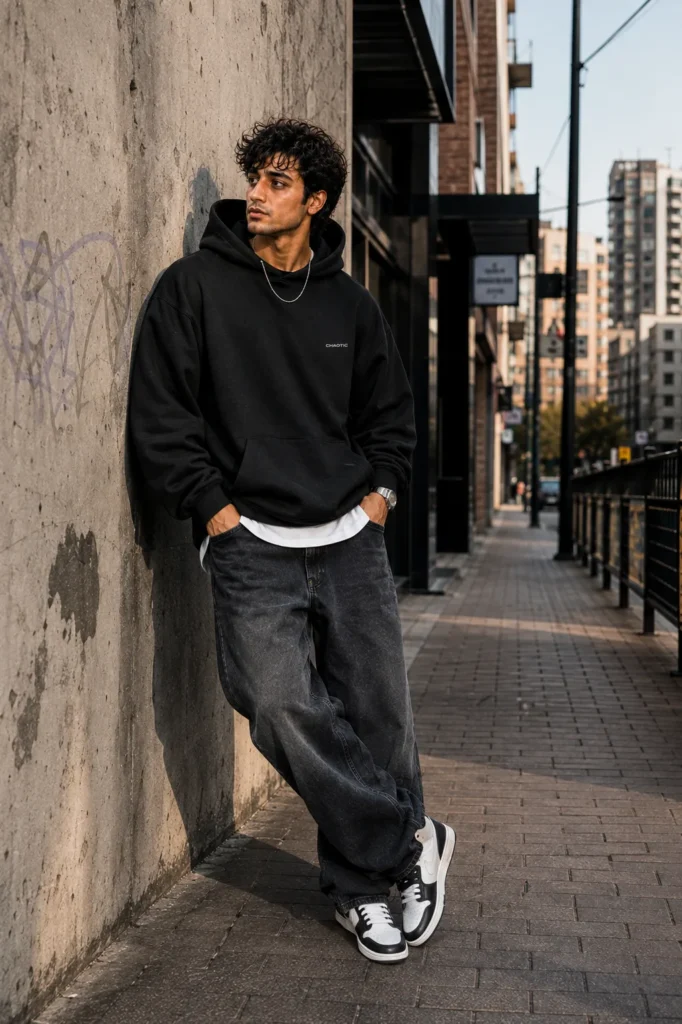
Transform my uploaded photo into an ultra-realistic stylish streetwear fashion portrait while preserving my exact facial identity, facial features, skin tone, hairstyle, body proportions, and natural appearance. Keep my face identical and recognizable compared with the reference photo. Preserve my natural eyes, eyebrows, nose, lips, jawline, facial structure, hairstyle, facial hair if present, and authentic skin texture. Do not modify my identity or make my face look like a different person.

Dress me in a premium oversized black hoodie with a subtle minimal streetwear logo, layered over a clean white T-shirt. Pair it with loose-fit dark denim jeans, white and black retro sneakers, a simple wristwatch, and a minimal silver chain. Make the oversized clothing fit naturally around my body with realistic fabric thickness, folds, creases, stitching, shadows, and texture.

Place me in a modern urban environment featuring a concrete pedestrian walkway, brick walls, street lamps, metal railings, subtle graffiti, storefronts, and distant city buildings. Keep the environment realistic, slightly gritty, and fashionable without making it look abandoned or excessively dramatic.

Pose me casually against a textured concrete wall, with one shoulder leaning slightly against the wall and both hands positioned naturally. Keep one leg slightly forward and the other relaxed. Give me a calm, confident expression with a subtle serious look. The pose should feel effortless and suitable for a streetwear campaign.

Use late-afternoon natural light entering from one side of the street. Create soft shadows across the hoodie and face while adding subtle highlights around the shoulders and hair. Use realistic ambient lighting and natural reflections from nearby buildings.

Shoot the image with a professional full-frame camera using a 50mm lens at a wide aperture. Create realistic depth of field, detailed skin texture, sharp facial features, natural fabric details, accurate sneaker textures, subtle background bokeh, realistic shadows, balanced exposure, cinematic contrast, and premium fashion-editorial color grading.

The final photograph should look like a genuine streetwear campaign captured in a real city. Ultra-realistic, photorealistic, highly detailed, natural skin, authentic oversized clothing, realistic body proportions, professional fashion photography, cinematic composition, 8K quality, no cartoon appearance, no CGI look, no artificial face, no plastic skin, no distorted clothing, no deformed hands, no extra fingers, no duplicate limbs, no unrealistic anatomy.
3. Night City Streetwear AI Photo
Luxury streetwear combines relaxed clothing with carefully chosen fashion details. An oversized designer-inspired jacket, premium sneakers, fitted accessories, and well-coordinated colours can create a polished appearance while maintaining the comfort associated with street fashion. Black, white, beige, and muted earth tones work particularly well for a clean look, while brighter accents can add personality.
With AI photo prompts, you can experiment with layered outfits, premium-looking fabrics, and stylish city settings. Try pairing a statement jacket with cargo trousers or combining a minimal T-shirt with chunky sneakers. You can also choose a modern building or an upscale urban location as the background. If you want the image to resemble you, upload a clear reference photo and ask the tool to preserve your recognizable facial features.
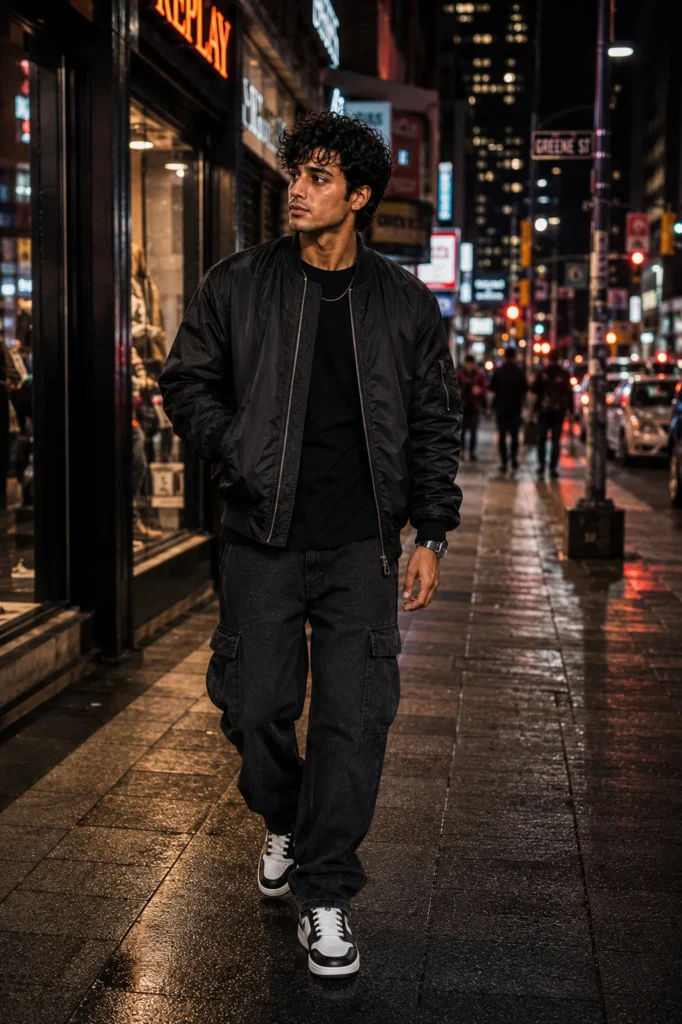
Transform my uploaded photo into an ultra-realistic cinematic night-time streetwear fashion portrait while preserving my exact facial features, skin tone, hairstyle, body proportions, and identity. Keep my face completely recognizable and faithful to the uploaded reference. Preserve my natural facial structure, eyes, eyebrows, nose, lips, jawline, hairstyle, facial hair if present, and realistic skin texture. Do not replace my face or modify my identity.

Dress me in a premium modern streetwear outfit consisting of a dark oversized bomber jacket, plain fitted black T-shirt, relaxed straight-leg cargo trousers, and stylish premium sneakers. Add subtle accessories such as a minimalist watch and a thin chain. Keep all clothing realistic, with accurate material texture, natural folds, stitching, shadows, and believable proportions.

Place me on a busy modern city street at night surrounded by illuminated storefronts, subtle neon signage, traffic lights, parked cars, modern buildings, street lamps, and pedestrians softly blurred in the background. The pavement should appear slightly wet, creating realistic reflections from nearby lights without making the environment look artificially exaggerated.

Pose me walking slowly toward the camera with one hand inside my jacket pocket and the other hand relaxed naturally. Give me a confident but effortless facial expression. Capture the image as though a professional street photographer photographed me spontaneously while I was walking through the city.

Use a combination of realistic storefront illumination, street lights, and subtle colored reflections from nearby signs. Maintain natural skin tones even under the night lighting. Add realistic highlights along my jacket and hair while preserving detailed facial features and natural shadows.

Use professional night fashion photography, full-frame camera, 50mm lens, shallow depth of field, realistic low-light exposure, subtle motion in the distant background, natural bokeh, accurate reflections, detailed skin texture, realistic fabric materials, cinematic contrast, high dynamic range, and premium editorial color grading.

The final image should look like an authentic professional streetwear campaign photographed in a real city at night. Ultra-realistic, photorealistic, cinematic, highly detailed, realistic skin texture, natural anatomy, accurate clothing, authentic urban atmosphere, 8K quality, professional fashion photography, no cartoon effect, no CGI appearance, no artificial face, no plastic skin, no excessive neon, no distorted hands, no extra fingers, no duplicated people, no unrealistic reflections, no deformed body parts.
4. Luxury Streetwear Editorial AI Photo
Sneakers are an important part of many streetwear outfits and can influence the overall appearance of a photograph. High-top sneakers, chunky trainers, and classic low-top designs can complement different combinations of jeans, cargo trousers, and oversized clothing. Choosing colours that match the rest of the outfit can make the final look feel more coordinated and stylish.
AI photo prompts make it easy to explore different sneaker styles and outfit combinations without arranging a real photoshoot. You can create a full-body portrait that highlights the footwear or choose a seated pose with the sneakers clearly visible. Describe the shoe design, clothing, background, and camera angle to help the image generator produce the intended result. A simple urban setting can keep the attention on the outfit.
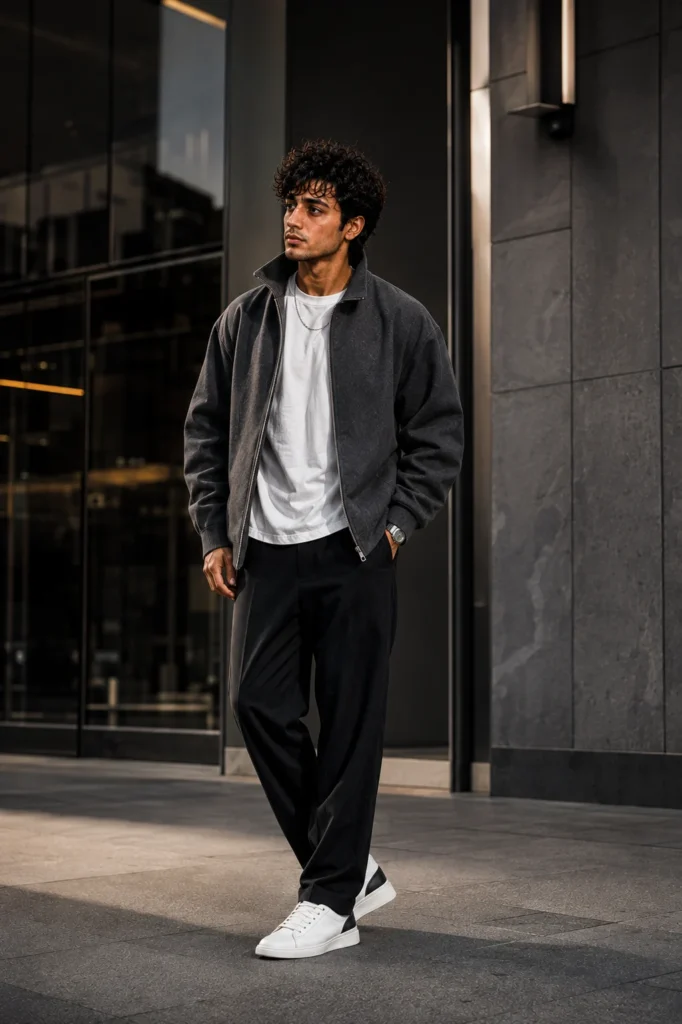
Transform my uploaded photo into an ultra-realistic luxury streetwear editorial photograph while preserving my exact facial features, skin tone, hairstyle, body proportions, and personal identity. My face must remain completely recognizable and consistent with the uploaded reference image. Preserve my natural eyes, eyebrows, nose, lips, jawline, facial structure, hairstyle, facial hair if present, and realistic skin texture. Do not redesign my face, change my identity, or apply artificial facial enhancements.

Dress me in a premium contemporary streetwear outfit featuring an oversized structured charcoal-gray jacket, clean white heavyweight T-shirt, relaxed tailored black trousers, premium minimalist sneakers, a luxury-style wristwatch, and subtle understated accessories. The outfit should look sophisticated rather than flashy. Use realistic high-quality materials such as cotton, wool, leather, and technical fabric with detailed stitching, natural folds, fabric texture, realistic shadows, and accurate garment proportions.

Place me outside a modern architectural building with large glass panels, polished concrete surfaces, geometric walls, metallic details, and a clean urban environment. The setting should resemble a premium city fashion district and provide a sophisticated backdrop without distracting from the subject.

Position me standing confidently near the building entrance with one hand resting naturally in my trouser pocket and the other relaxed by my side. Keep my shoulders naturally positioned and my posture upright but comfortable. Give me a composed, confident expression suitable for a professional fashion campaign.

Use soft directional daylight combined with subtle architectural reflections. Create realistic highlights on the jacket, shoes, watch, and hair while maintaining natural skin tones and detailed facial features. Add a shallow depth of field so the architectural background gradually becomes softer behind me.

Use high-end fashion photography aesthetics with a full-frame professional camera, 85mm portrait lens, realistic optical compression, natural depth of field, sharp facial details, detailed fabric texture, realistic skin pores, controlled highlights, accurate shadows, HDR exposure, subtle cinematic contrast, premium editorial color grading, and sophisticated composition.

Frame the photograph vertically like a professional fashion magazine campaign. Keep the subject centered slightly off-axis with enough negative space around the body to create a refined editorial composition.

The final image should look like an authentic luxury streetwear campaign photographed by a professional fashion photographer in a major city. Ultra-realistic, photorealistic, highly detailed, realistic skin texture, natural body proportions, premium clothing materials, authentic architecture, cinematic depth of field, 8K quality, editorial fashion photography, no cartoon effect, no CGI appearance, no plastic skin, no artificial face, no distorted hands, no extra fingers, no duplicated limbs, no unrealistic clothing, no excessive accessories, no unrealistic anatomy.
Pro Tips for Creating the Best Streetwear AI Photos
Getting a good streetwear photo is not just about choosing trendy clothes. The way an outfit fits, the colours you combine, the background, and the pose all contribute to the final appearance. AI photo generators let you experiment with these details without buying new outfits or arranging a professional photoshoot. Whether you prefer oversized hoodies, baggy jeans, layered jackets, or statement sneakers, a clear prompt can help you create a picture that reflects your fashion preferences.
Before generating your next image, think about the style you want to achieve. Describe the clothing, footwear, accessories, and location rather than relying on general words such as cool or stylish. If you are using your own photograph, ask the AI tool to preserve your recognizable facial features. Try a few variations and check the final image for realistic clothing textures, natural body proportions, and consistent details.
- Choose a clear reference photo if you want the generated image to resemble you.
- Describe the fit of your clothes, such as oversized, relaxed, baggy, or fitted.
- Combine colours carefully to create a coordinated outfit.
- Specify the sneaker style and accessories you want to include.
- Choose a suitable background, such as a city street, graffiti wall, rooftop, or concrete staircase.
- Mention the lighting, such as natural daylight, golden-hour light, or nighttime city lighting.
- Specify whether you want a close-up, waist-up, or full-body photograph.
- Keep the pose natural so the outfit looks believable.
- Avoid adding too many accessories or background effects that distract from the clothing.
- Check the hands, footwear, clothing details, and facial features before saving the image.
Describe the outfit from head to toe, including the top, trousers, footwear, and accessories. This gives the AI image generator clearer instructions and helps maintain a consistent streetwear look. These prompts, given above, can be used with a clear personal photo to create different streetwear aesthetics while keeping the original person recognizable. You can also change individual elements such as the hoodie, sneakers, jacket, location, lighting, or accessories without changing the overall structure of the prompt, allowing the same reference photo to produce several distinct fashion looks.