
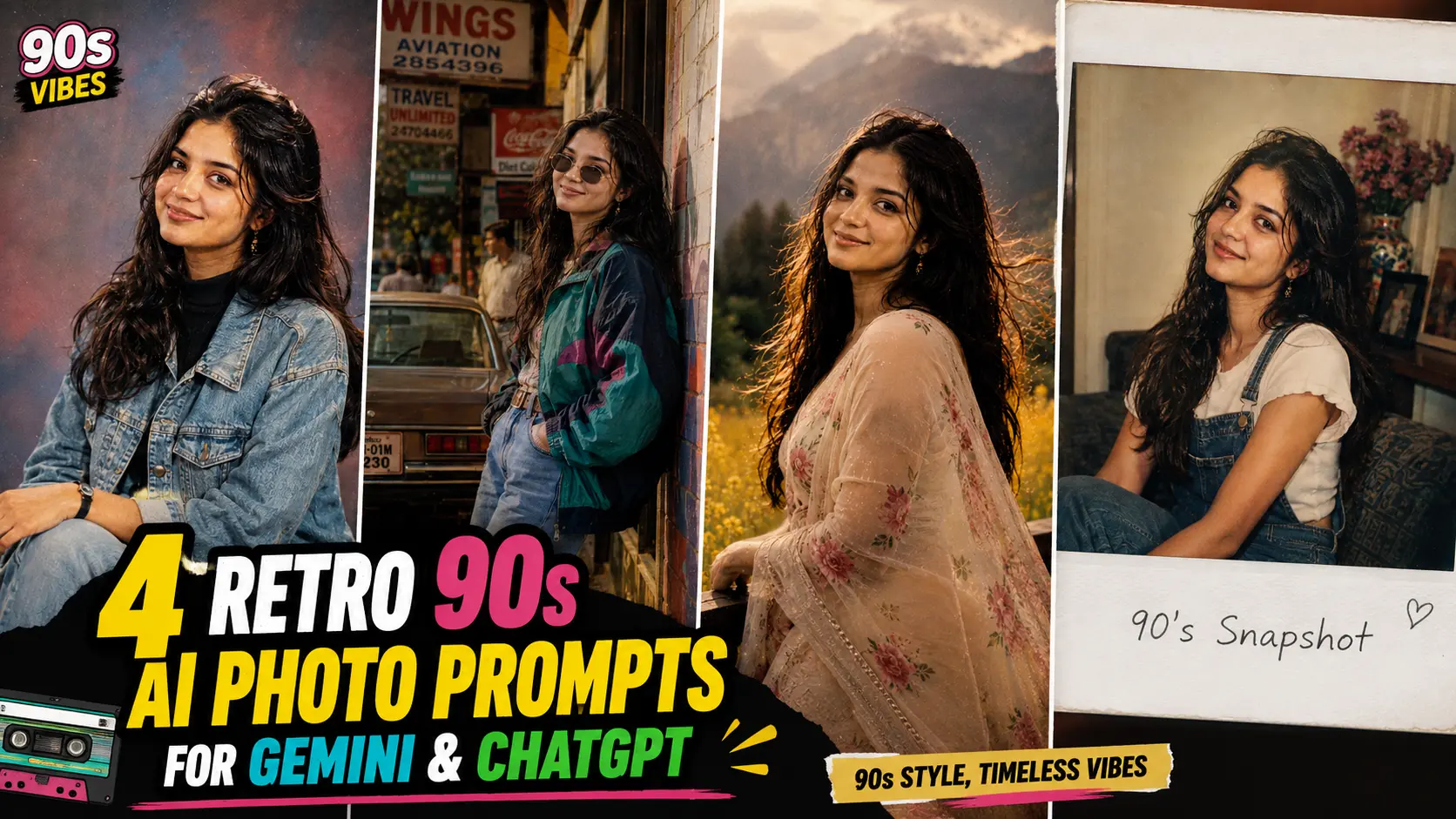
There is something special about the photos from the 90s. From denim jackets and oversized shirts to classic hairstyles, vintage sunglasses, and slightly faded film colours, everything had a style of its own. If you love that old-school look, you can recreate it with AI photo generators without searching through old family albums or arranging a retro photoshoot. A simple prompt can transform your regular picture into a vintage portrait with nostalgic colours, classic outfits, and the charm of old film photography.
In this article, you will find 4 retro 90s AI photo prompts for Gemini and ChatGPT that you can copy and use to create your own vintage-style pictures. From classic studio portraits and street fashion to Bollywood-inspired looks and Polaroid memories, each prompt offers a different way to recreate the decade. You can upload your own photo as a reference and customise the outfit, hairstyle, background, and lighting to match your preferred style. Try these prompts to create nostalgic Instagram posts, WhatsApp DPs, or retro-inspired pictures to share with friends.
1. Classic 90s Studio Portrait AI Photo
Classic studio portraits were a familiar part of the 90s, when families often visited local photo studios to capture special occasions. Plain gradient backgrounds, soft flash lighting, neatly styled hair, and formal or semi-formal outfits gave these photographs their distinctive appearance. A denim jacket, printed shirt, or high-neck top can help recreate that vintage look. Slightly faded colours and subtle film grain can make the final picture feel like an old photograph discovered in a family album.
With an AI photo prompt, you can recreate this studio style without visiting a photography studio. Experiment with different background colours, retro outfits, and hairstyles to find the look you prefer. You can also adjust the lighting and colour tones to make the image appear more like a genuine 90s photograph. If you use your own photo as a reference, ask the AI tool to preserve your recognizable facial features while applying the vintage styling.
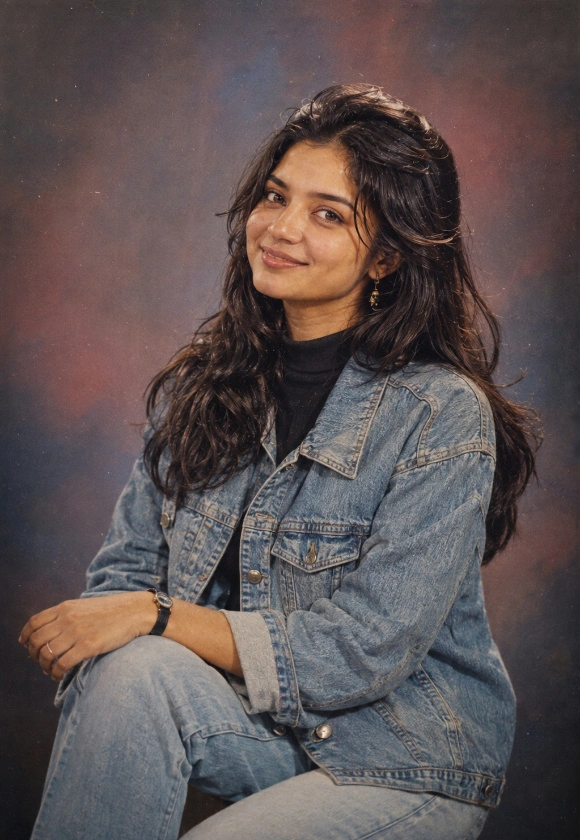
Transform my uploaded photo into a retro 90s studio portrait while preserving my exact facial features, skin tone, hairstyle, body proportions, and identity. Style my hair in a classic 90s look and dress me in a retro outfit such as a denim jacket, high-neck top, or bold printed shirt typical of the era.

Place me against a plain studio backdrop with a soft gradient in muted blue, maroon, or grey tones, similar to old-school photo studio setups. Add a slight film grain texture, warm flash lighting, and soft shadows to match authentic 90s film photography.

Use vintage film color grading, slightly faded tones, soft focus, analog camera texture, and a nostalgic warm glow. Make the final image look like an actual photograph taken in a 90s photo studio. Ultra-realistic, natural skin texture, no cartoon or AI-art appearance, no modern digital sharpness.
2. 90s Street Style AI Photo
The 90s street-style look was known for oversized jackets, relaxed denim, colourful windbreakers, graphic T-shirts, and distinctive accessories. These outfits combined comfort with a bold sense of personal style, making them a great choice for retro-inspired portraits. You can recreate this look with baggy jeans, chunky sneakers, round sunglasses, and a vintage jacket. A graffiti-covered wall, an old city street, or a vintage car in the background can complete the scene.
AI photo prompts make it easy to experiment with different 90s fashion combinations without buying new clothes. You can try a casual walking pose, a relaxed stance against a brick wall, or a candid portrait on a city street. Describe the outfit, background, camera angle, and lighting clearly to help the image generator achieve the desired appearance. Add subtle film grain and warm colours for a nostalgic finish without making the picture look excessively edited.
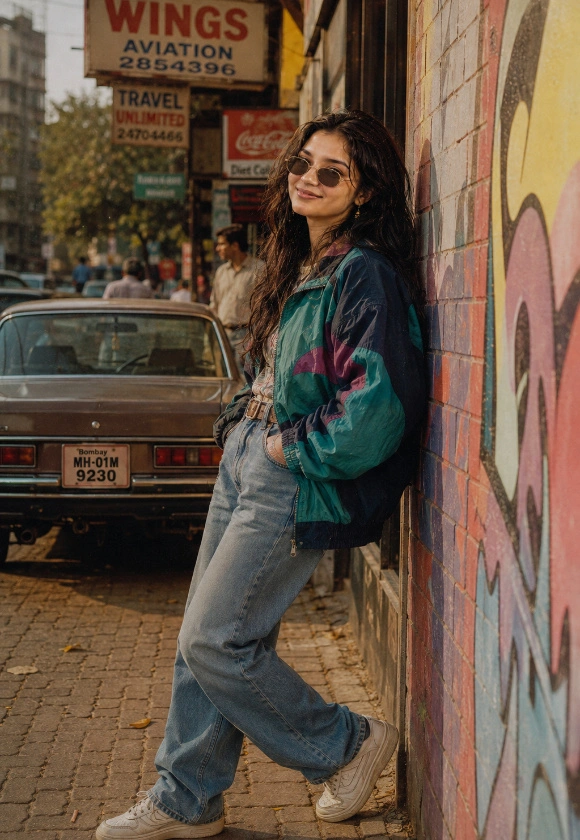
Transform my uploaded photo into an ultra-realistic 90s street style portrait while preserving my exact facial features, skin tone, hairstyle, body proportions, and identity. Dress me in an oversized bomber jacket or graphic windbreaker, high-waisted jeans, chunky sneakers, and round or cat-eye retro sunglasses.

Place me on a colorful 90s-style street with old signboards, a parked vintage car, brick walls, and graffiti in the background. Add a candid walking pose or a relaxed leaning stance against a wall, capturing that carefree 90s street energy.

Use warm afternoon sunlight, slight film grain, analog camera color tones, soft contrast, and a nostalgic retro color palette. Make the final image look like a genuine photograph shot on 90s film. Ultra-realistic, photorealistic, natural body proportions, no cartoon or AI-art appearance.
3. 90s Bollywood Style AI Photo
The 90s Bollywood era had a distinctive visual style, with colourful outfits, romantic outdoor scenes, expressive poses, and warm cinematic lighting. From floral sarees and chiffon outfits to printed shirts and classic denim, the fashion of that decade still inspires many retro photoshoot ideas. Mustard fields, misty hill stations, gardens, and scenic roads can help recreate the atmosphere of old Hindi film scenes. Soft focus and warm colours add to the nostalgic effect.
You can use an AI photo prompt to create a Bollywood-inspired portrait with your preferred outfit, hairstyle, and background. Try a romantic pose with wind-blown hair, a relaxed portrait against a scenic landscape, or a classic film-poster composition. Describe the lighting and colour grading to achieve a vintage cinematic appearance. If you want the generated picture to resemble you, upload a clear reference photo and ask the tool to retain your recognizable facial features.
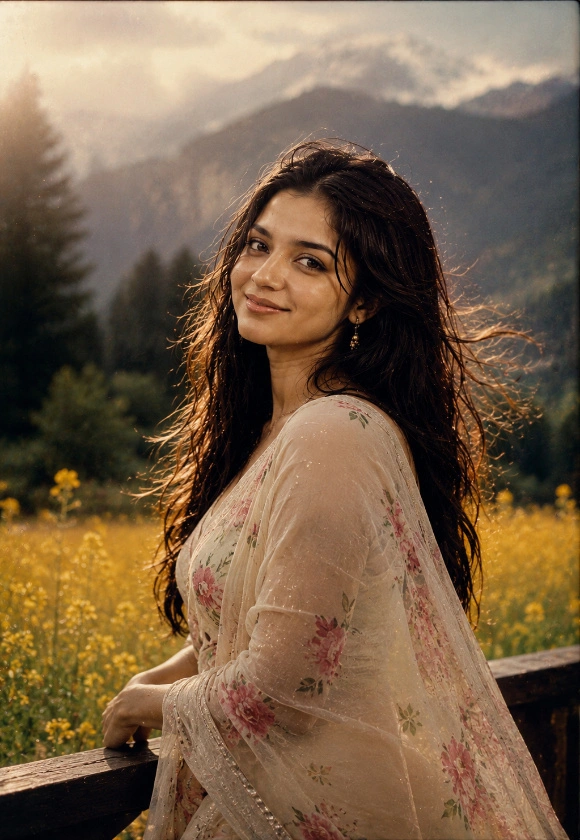
Transform my uploaded photo into a retro 90s Bollywood style cinematic portrait while preserving my exact facial features, skin tone, hairstyle, body proportions, and identity. Style my hair and outfit in a classic 90s Bollywood look, such as a floral saree, printed shirt, or retro chiffon outfit, keeping the styling authentic to the era.

Set the scene against a dreamy backdrop such as blooming mustard fields, a misty hill station, or a vintage garden, similar to iconic 90s film visuals. Add soft wind-blown hair, a gentle romantic pose, and warm golden lighting to enhance the cinematic feel.

Use soft focus, warm film color grading, slight grain, glowing backlight, and a nostalgic cinematic tone reminiscent of old Bollywood posters. Make the final image look like a still from a 90s Bollywood film. Ultra-realistic, photorealistic, natural skin texture, no cartoon or AI-art appearance.
4. 90s Polaroid Memory AI Photo
Polaroid-style photographs have a nostalgic charm because they capture everyday moments in a simple, candid way. Their familiar white borders, slightly faded colours, soft focus, and visible film texture make them look different from modern digital pictures. You can recreate this appearance with casual 90s outfits, relaxed expressions, and backgrounds such as a living room, garden, or friend’s gathering. The result can resemble a photograph taken during an ordinary day decades ago.
With an AI photo prompt, you can create your own vintage snapshot without using an actual Polaroid camera. Describe the white photo border, warm colour tones, subtle grain, and natural lighting to guide the image generator. You can also experiment with different poses and settings to make the photograph feel more personal. For the best result, keep the composition simple and ask for realistic facial details and a genuine analog-photo appearance.
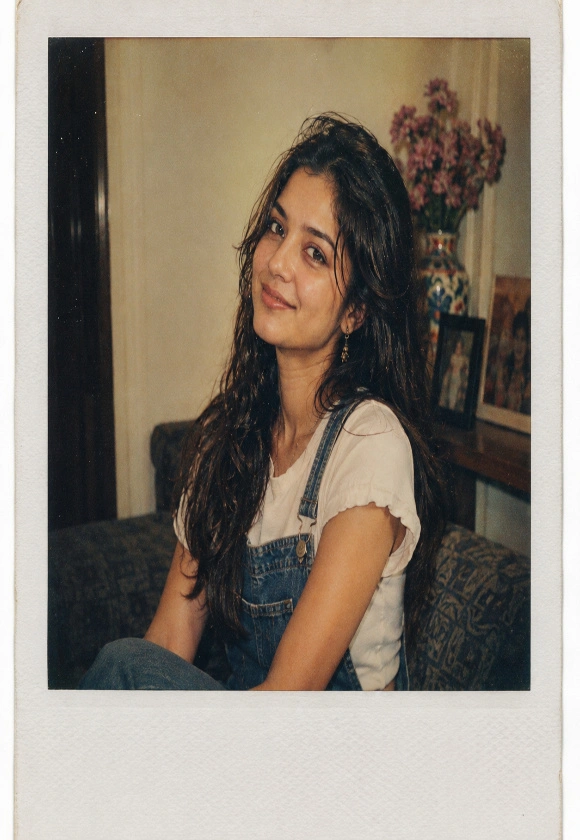
Transform my uploaded photo into a retro 90s Polaroid style portrait while preserving my exact facial features, skin tone, hairstyle, body proportions, and identity. Dress me in a casual 90s outfit such as a plain tee with suspenders, a checkered shirt, or a simple printed dress, matching the relaxed style of the decade.

Frame the image with a classic white Polaroid border and place me in a casual, candid setting like a living room, garden, or a friend's gathering, giving it an authentic snapshot feel. Add a slightly faded, warm-toned color grade with visible grain to mimic real Polaroid film.

Use soft ambient lighting, subtle light leaks, faded contrast, and authentic analog Polaroid texture. Make the final image look like a genuine 90s Polaroid photograph. Ultra-realistic, natural skin tone, no cartoon or AI-art appearance, no modern digital clarity.
Pro Tips for Creating the Best Retro 90s AI Photos
Creating a convincing 90s-style photograph with AI is all about getting the small details right. The clothes, hairstyle, background, lighting, and colour tones work together to create the vintage appearance. A classic studio portrait needs a different treatment from a street-style photograph or a Bollywood-inspired scene. Instead of simply asking for a retro look, describe the specific decade-inspired details you want, such as oversized denim, film grain, soft flash lighting, or faded colours. This gives the AI tool a clearer idea of the image you have in mind.
If you want the generated picture to resemble you, start with a clear reference photo and ask the AI tool to preserve your recognizable facial features. You can then experiment with different outfits, backgrounds, and vintage effects without changing the overall character of the image. Try a few variations before choosing your favourite, and avoid adding too many effects that make the photograph look artificial. Follow these tips to create more natural and stylish retro portraits.
- Use a clear reference photo if you want the generated image to resemble you.
- Choose clothing inspired by the 90s, such as denim jackets, oversized shirts, graphic T-shirts, or floral outfits.
- Describe the hairstyle and accessories that match your preferred retro look.
- Specify the background, such as a vintage photo studio, an old city street, or a scenic outdoor location.
- Use terms such as analog film texture, subtle grain, faded colours, and soft flash lighting.
- Ask for natural skin texture and recognizable facial features instead of excessive beauty filters.
- Keep the colour grading consistent with the vintage style you want.
- For a Polaroid effect, request a white border, soft focus, and slightly faded colours.
- Avoid excessive grain, artificial blur, or too many visual effects.
- Check the final image for facial distortions, clothing errors, and unnatural background details.
Mention the specific 90s style you want before describing the lighting and film effects. A classic studio portrait, street-fashion photograph, and Bollywood-inspired image each need different instructions to achieve a convincing vintage look. These retro 90s prompts are a fun way to relive a decade that’s suddenly back in style, and the best part is how effortless the whole process is. Just upload your photo, paste in whichever prompt matches the vibe you’re going for, and let ChatGPT or Gemini do the rest. Whether you’re posting it as a reel cover, a nostalgic Instagram carousel, or just sending it to your friend group for a laugh, these AI-generated 90s portraits are bound to get some attention this week.