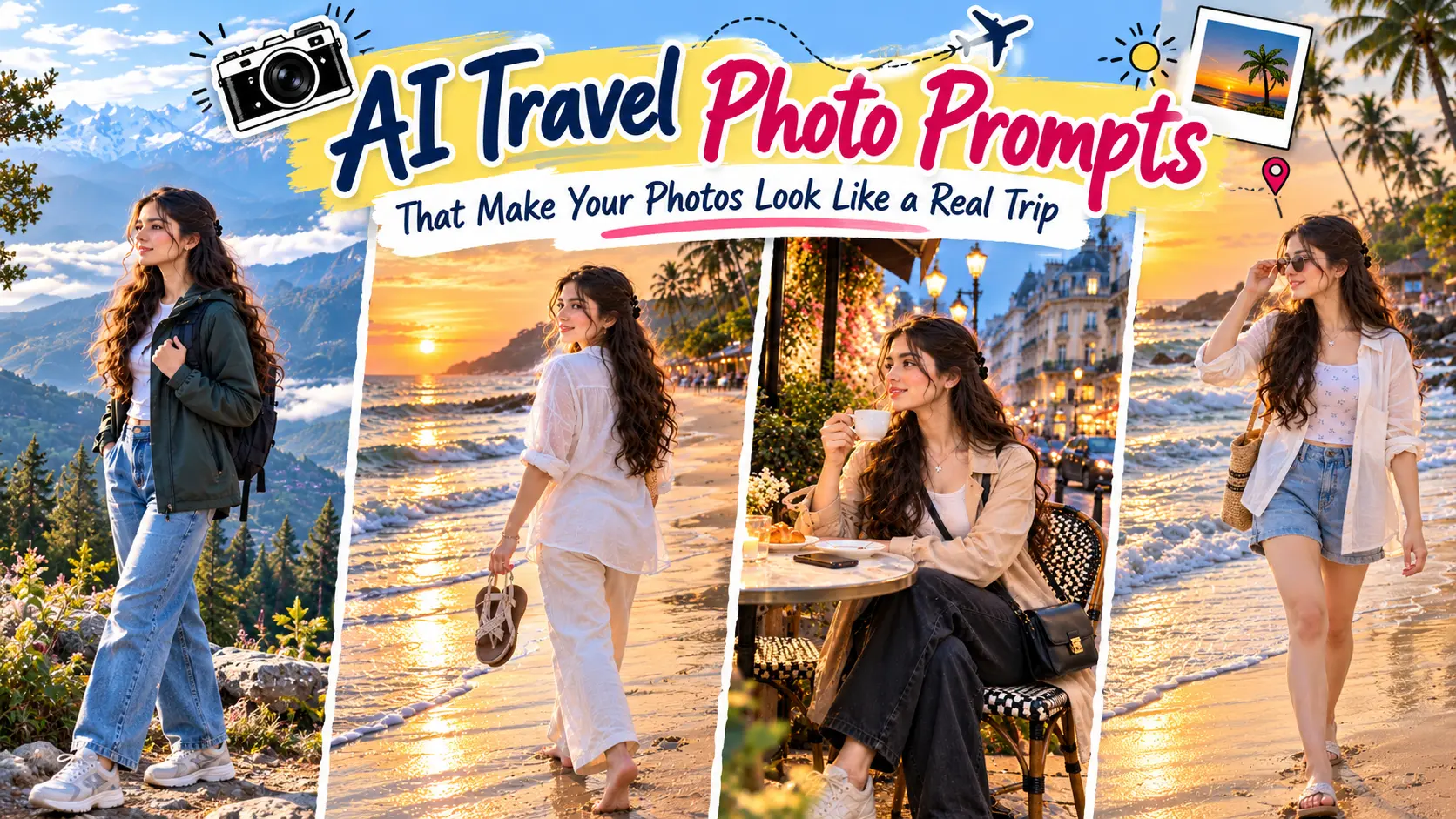

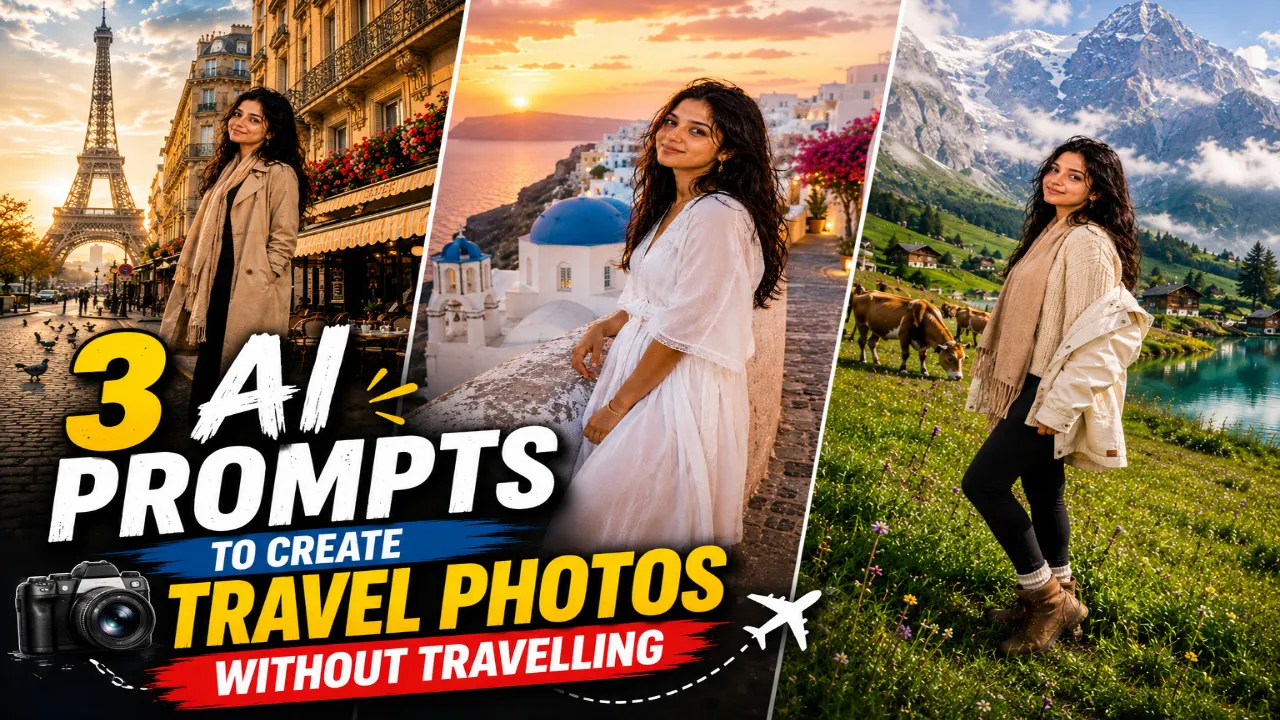
Ever wanted a photo in front of the Eiffel Tower or a picture surrounded by the beautiful mountains of Switzerland? You can now create travel-inspired photos without booking tickets or planning a trip. AI image generators make it possible to transform your regular pictures into travel portraits with beautiful locations, stylish outfits, and realistic backgrounds. With the right prompt, you can experiment with different destinations and create photos that look like they were taken during an actual holiday.
In this article, you will find three AI prompts to create travel photos without travelling. From the streets of Paris and the blue-domed buildings of Santorini to the snow-covered peaks of the Swiss Alps, each prompt offers a different travel experience. You can copy the prompts, upload your photo to a compatible AI tool, and customise the details to suit your preferences. Whether you want a new Instagram DP or a beautiful travel-style picture for social media, these prompts will help you get started.
1. Paris Eiffel Tower AI Travel Photo
The Eiffel Tower is one of the most recognisable landmarks in the world, making it a popular choice for travel photography. Imagine yourself standing on a charming Parisian street, wearing a stylish outfit while the iconic tower appears in the background. Classic European buildings, outdoor cafés, and warm sunlight can give the picture the feel of a memorable holiday. This style works well for anyone who wants an elegant travel portrait with a natural and sophisticated appearance.
With an AI travel photo prompt, you can create this Paris-inspired look without visiting France. You can experiment with different outfits, poses, and camera angles to find a style that suits you. A beige trench coat, casual shoes, and a relaxed expression can create a classic European travel look. If you use your own photograph as a reference, ask the AI tool to preserve your recognizable facial features while placing you in the Parisian setting.
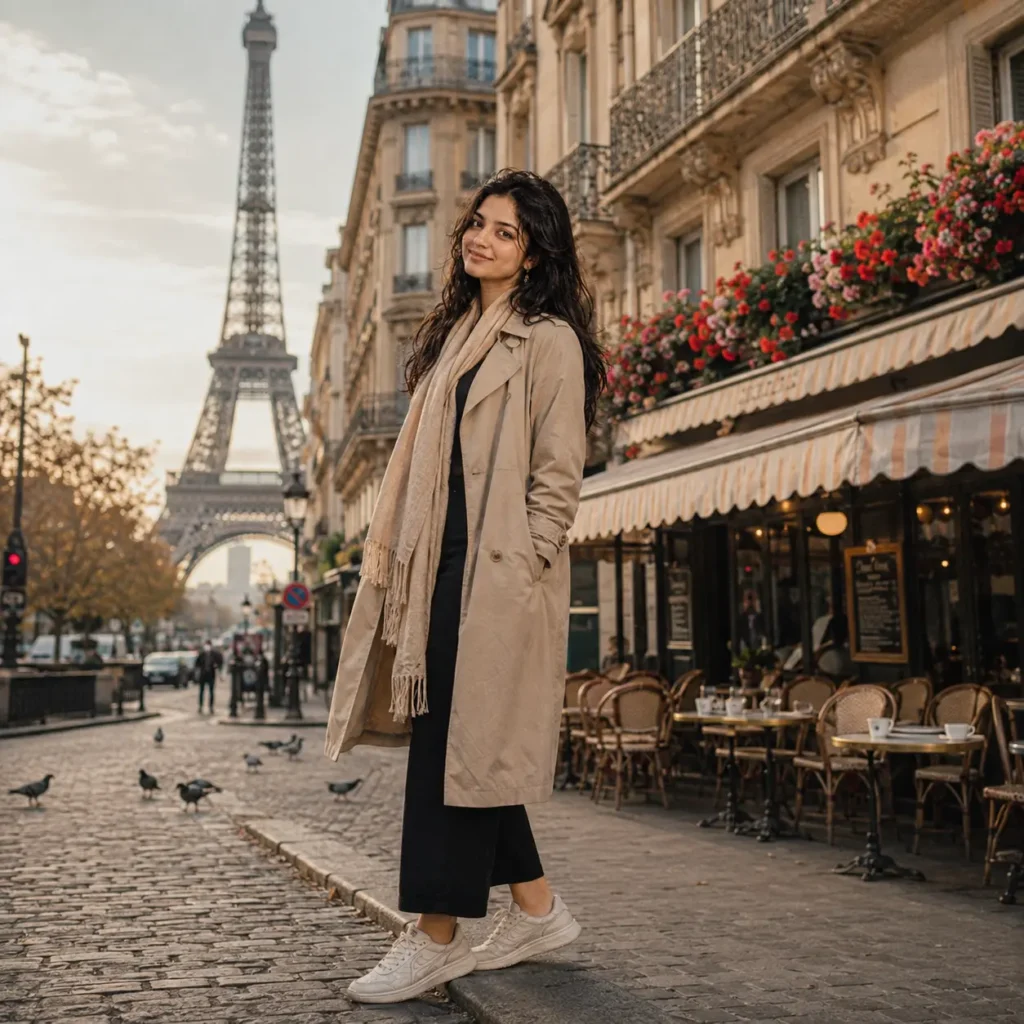
Transform my uploaded photo into an ultra-realistic travel portrait while preserving my exact facial features, skin tone, hairstyle, body proportions, and identity. Dress me in a stylish beige trench coat over a casual chic outfit, paired with comfortable travel sneakers and a light scarf, giving off an effortless European travel look. Style my hair naturally with soft waves and keep my expression relaxed and joyful.

Place me standing on a cobblestone Parisian street with the Eiffel Tower rising majestically in the background, surrounded by classic Haussmann-style buildings, wrought-iron balconies, blooming flower boxes, and a few cafe tables with striped awnings nearby. Add a soft golden-hour glow across the scene, with a light haze in the sky and pigeons scattered near the pavement for authenticity.

Use warm cinematic lighting, realistic skin textures, shallow depth of field, creamy bokeh, HDR lighting, DSLR 50mm travel photography style, and premium editorial color grading. Make the final image look like a genuine candid photograph taken by a professional travel photographer in Paris. Ultra-realistic, photorealistic, 8K resolution, magazine-quality portrait, natural body proportions, no cartoon or AI-art appearance.
2. Santorini Blue Dome AI Travel Photo
Santorini is famous for its whitewashed buildings, blue-domed churches, and beautiful views of the Aegean Sea. These features make it an excellent setting for dreamy travel portraits with a Mediterranean feel. Imagine standing beside a white stone wall, with colourful flowers and blue rooftops in the background. A flowing summer outfit, soft sunlight, and a relaxed pose can give the picture a fresh and elegant appearance.
You can recreate this island-inspired look using an AI travel photo prompt without planning an international holiday. Describe the white buildings, blue domes, ocean views, and sunset colours to help the image generator create the desired setting. You can also customise your outfit, hairstyle, and pose to match your personal style. For a more natural result, ask for realistic skin texture, balanced lighting, and a background that complements the subject without looking overly edited.
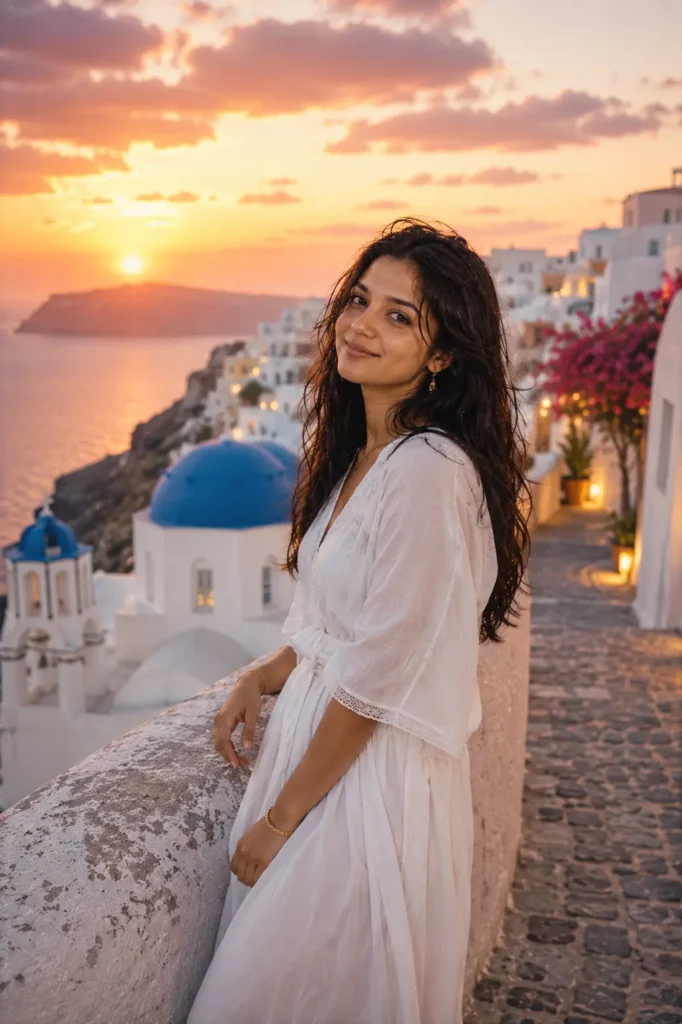
Transform my uploaded photo into an ultra-realistic travel portrait while preserving my exact facial features, skin tone, hairstyle, body proportions, and identity. Dress me in a flowing white summer outfit with delicate gold jewelry, comfortable sandals, and lightly tousled hair blowing gently in the sea breeze, capturing a relaxed island vacation vibe.

Pose me leaning against a whitewashed stone wall overlooking the Aegean Sea, with the iconic blue-domed churches of Santorini visible in the background, along with narrow cobbled alleys, bougainvillea flowers cascading down the walls, and traditional Cycladic architecture all around. Fill the sky with a warm sunset gradient of orange, pink, and lavender tones reflecting softly on the ocean.

Use warm golden sunset lighting, realistic skin details, DSLR 85mm portrait photography, HDR lighting, shallow depth of field, creamy bokeh, premium editorial color grading, and cinematic composition. Make the final image look like it was captured during an actual sunset photoshoot in Santorini. Ultra-realistic, photorealistic, 8K resolution, magazine-quality finish, natural body proportions, no cartoon or AI-art appearance.
3. Swiss Alps Mountain AI Travel Photo
The Swiss Alps offer a beautiful combination of snow-covered mountains, green valleys, clear lakes, and traditional wooden chalets. This landscape is ideal for anyone who wants an adventurous travel portrait with a peaceful natural background. A warm jacket, comfortable hiking boots, and a knitted sweater can complete the look. Soft morning light and a little mist over the mountains can add depth to the scene while keeping the overall photograph natural.
With an AI travel photo prompt, you can create a mountain holiday portrait without travelling to Switzerland. You can experiment with different landscapes, outfits, and poses, from standing beside a turquoise lake to walking through an alpine meadow. Describe the mountain scenery, weather, clothing, and lighting clearly to guide the image generator. If you want the picture to resemble you, use a clear reference photo and ask the tool to retain your recognizable facial features and natural body proportions.
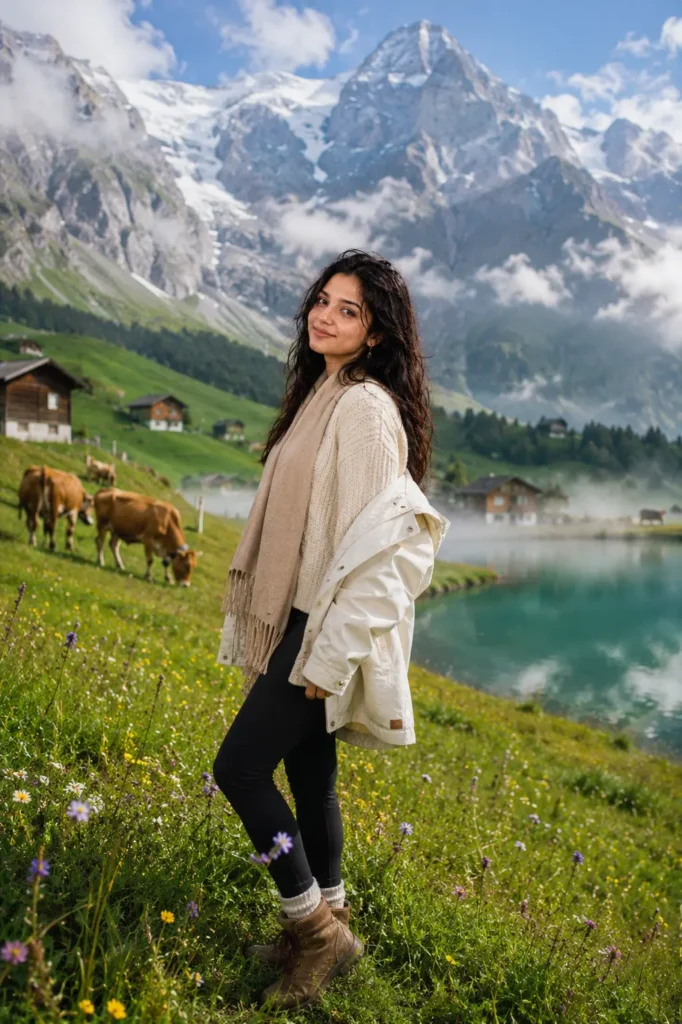
Transform my uploaded photo into an ultra-realistic travel portrait while preserving my exact facial features, skin tone, hairstyle, body proportions, and identity. Dress me in a cozy cream-colored knit sweater, a warm scarf, comfortable hiking boots, and a light jacket draped over my shoulders, giving off a relaxed alpine travel look. Keep my hairstyle and natural expression completely realistic.

Place me standing on a green alpine meadow dotted with wildflowers, with the snow-capped peaks of the Swiss Alps towering majestically in the background, a few traditional wooden chalets nestled in the distance, grazing cows with bells, and a clear turquoise mountain lake reflecting the peaks nearby. Add soft morning mist rolling over the valley for a dreamy atmosphere.

Use crisp natural daylight, cinematic photography, realistic skin textures, shallow depth of field, DSLR 85mm portrait style, HDR lighting, premium editorial color grading, creamy bokeh, and ultra-realistic details. The final image should feel fresh, adventurous, and professionally photographed, just like an authentic Swiss holiday portrait.
Pro Tips for Creating AI Travel Photos
Creating travel photos with AI is easier when you know how to describe the destination, outfit, and overall scene. A picture of the Eiffel Tower needs a different atmosphere from a sunny Santorini street or a snowy Swiss mountain landscape. Small details, such as the time of day, camera angle, clothing, and lighting, can make the final image look more natural. Instead of using a short prompt, describe the location and the type of photograph you want to create.
If you want the generated picture to look like you, upload a clear reference photo and ask the AI tool to preserve your recognizable facial features. Choose outfits that suit the destination, such as a trench coat for Paris or a warm jacket for the Swiss Alps. You can also experiment with different poses and lighting conditions until you find a result you like. Follow these tips to create travel-inspired photos that look stylish and realistic.
- Use a clear reference photo to help preserve your facial features.
- Mention the exact destination and the background details you want.
- Choose clothing that matches the location and weather.
- Describe the lighting, such as golden-hour sunlight, soft daylight, or cloudy skies.
- Specify the camera angle and pose for a more natural composition.
- Ask for realistic skin texture, natural shadows, and accurate body proportions.
- Keep the background detailed but avoid unnecessary visual effects.
- Generate different versions and adjust the prompt if the result does not match your expectations.
- Check the final image for facial distortions, incorrect details, and unnatural backgrounds.
- Use a high-resolution image for better results when sharing it on social media.
Include the destination, outfit, pose, and lighting in your prompt. These four details provide a clear starting point for creating travel photos that match your preferred style. Once you try these travel AI photo prompts, you’ll see just how easy it has become to satisfy your wanderlust without booking a single flight. Simply upload a clear, well-lit photo of yourself, paste the prompt into ChatGPT or your preferred AI tool, and within seconds you’ll have a stunning, share-ready travel portrait that looks like it was shot on location. Save these prompts, try all three destinations, and post your favourite one on Instagram or WhatsApp status to see how many friends ask if you actually went on that trip.